
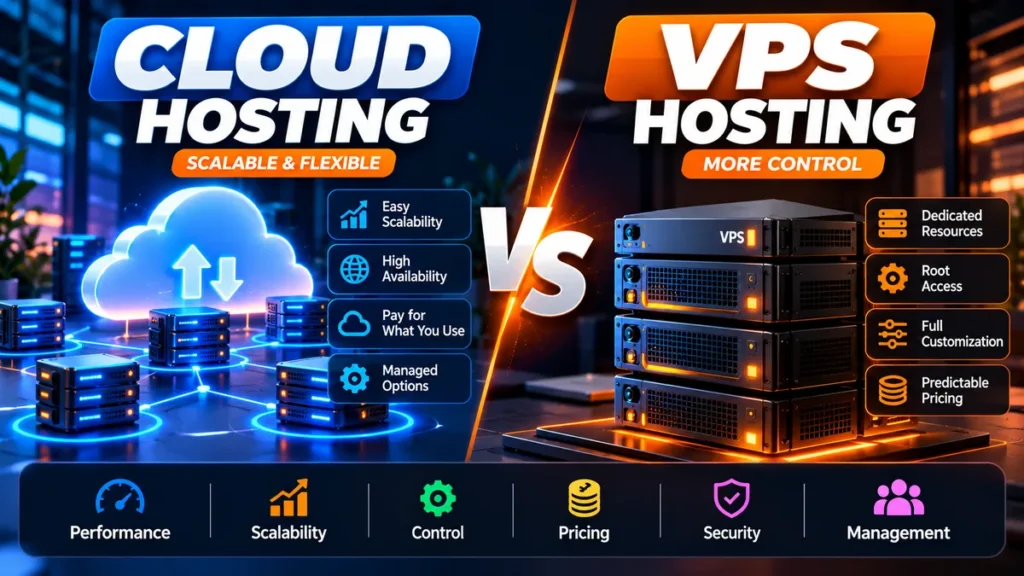
Cloud hosting and VPS hosting can both give you more resources, control and flexibility than basic shared hosting. But the terms are often used loosely, and the technical line between them has become increasingly blurred.
A VPS is a virtual server with allocated resources and operating-system-level control. Cloud hosting describes infrastructure designed around cloud resources, which can range from a single cloud virtual machine to a managed, distributed or autoscaling platform.
That distinction matters. A DigitalOcean Droplet, for example, is technically a cloud virtual machine and can also function like the VPS most website owners have in mind. Meanwhile, a managed platform such as Cloudways can add backups, caching, security, support and scaling tools on top of cloud infrastructure.
This cloud hosting vs VPS hosting comparison is based on documented features, product demonstrations, and verified sources. We did not conduct controlled server benchmarks, so we do not claim that one architecture is universally faster than the other.
Cloud Hosting vs VPS Hosting: Quick Verdict
Choose managed cloud hosting if scalability, easier administration and business continuity matter more than obtaining maximum server control at the lowest infrastructure price.
Choose a VPS if you want root-level control, predictable allocated resources, custom server software and are comfortable administering—or paying someone to administer—the server.
For most non-technical small-business and WordPress users: managed cloud hosting is usually the easier choice.
For developers, sysadmins and technically capable users: VPS hosting can deliver excellent value and considerably more control.
For unpredictable high-traffic workloads: an autoscaling cloud architecture is usually more appropriate than a conventional single VPS.
Cloud Hosting vs VPS Hosting at a Glance
| Factor | Cloud Hosting | VPS Hosting |
|---|---|---|
| Infrastructure | Cloud-based; architecture varies by provider | Virtual server allocated from underlying physical infrastructure |
| Scalability | Potentially excellent; can include vertical or automatic scaling | Usually resize/upgrade to a larger VPS |
| Root control | Depends on product; managed platforms may restrict low-level access | Commonly available on unmanaged/self-managed VPS plans |
| Management | Can range from unmanaged VM to fully managed platform | Often requires more server administration |
| Pricing | Can be fixed, hourly, usage-based or resource-based | Often predictable monthly/term pricing |
| Traffic spikes | Best when using genuine autoscaling/high-availability architecture | Limited by current VPS resources until resized |
| Custom server stack | Depends on provider | Excellent with root access |
| WordPress beginners | Managed cloud can be very convenient | Usually more technical |
| Developers | Excellent on infrastructure cloud | Excellent |
| Best use case | Growth, managed hosting, variable demand | Control, custom apps, predictable resources |
What Is VPS Hosting?
A virtual private server, or VPS, is a virtual machine running on physical server infrastructure. Virtualization separates the physical machine into independent virtual environments.
Your VPS typically receives defined resources such as CPU capacity, RAM, storage and bandwidth. You can usually install an operating system and configure the software stack according to the provider’s supported options.
For website owners moving from shared hosting, the major benefit is control.
Instead of sharing a conventional hosting account with many unrelated websites under a tightly controlled environment, you operate a virtual server with much greater independence.
What Can You Run on a VPS?
- WordPress and WooCommerce
- PHP applications
- Node.js applications
- Databases
- Development and staging environments
- Automation software
- Private business applications
- APIs and microservices
- Control panels such as supported cPanel or CloudPanel configurations
The trade-off is responsibility. With a self-managed VPS, operating-system updates, firewall rules, web-server configuration, backups, monitoring and application security may be your responsibility.
What Is Cloud Hosting?
Cloud hosting is a broader term.
At the infrastructure level, cloud providers offer virtual compute resources that can be provisioned, resized and connected to other cloud services.
DigitalOcean, for example, describes Droplets as Linux virtual machines running on virtualized hardware. A Basic Droplet currently starts at $4 per month for 512 MiB RAM, while a 1GB configuration costs $6 per month and a 2GB configuration costs $12 per month.
Since January 1, 2026, DigitalOcean has used per-second billing for Droplets, subject to its minimum billing rules and monthly caps.
This demonstrates why “cloud vs VPS” is not a perfectly clean technical divide: a cloud VM can behave much like a traditional VPS.
Where cloud hosting becomes substantially different is when the service combines multiple infrastructure components, managed orchestration, load balancing or automatic scaling.
The Biggest Misconception: Cloud Hosting Is Not Automatically High Availability
One of the most important buying lessons is that the word cloud does not automatically mean your website runs across multiple servers with instant failover.
A single virtual machine hosted in a cloud data center can still be a single compute instance.
If you need high availability, look for the architecture and features that actually provide it:
- Multiple application instances
- Load balancing
- Automatic scaling
- Replicated or highly available databases
- Redundant storage
- Multi-zone or multi-region deployment where appropriate
- Automated health monitoring and recovery
Cloud Hosting vs VPS Hosting: Performance
Neither hosting type is automatically faster.
Performance depends on the resources and architecture you buy: CPU generation and allocation, RAM, storage technology, web-server stack, caching, database configuration, network, CDN, software optimization and workload.
A well-configured VPS with sufficient resources can outperform a poorly configured cloud environment.
Likewise, managed cloud hosting can outperform a VPS in a practical business environment if its optimized stack, caching, CDN and management tools remove bottlenecks that the VPS owner failed to configure correctly.
Performance Winner
Tie at the architecture level.
For a non-technical WordPress owner, managed cloud hosting may deliver better practical results because more optimization is handled by the provider.
For an experienced administrator, a VPS provides the control needed to tune the server specifically for the workload.
Cloud Hosting vs VPS Hosting: Scalability
This is where cloud architecture has the strongest potential advantage.
VPS Scaling
A conventional VPS is usually scaled vertically. When the existing server is too small, you move to a configuration with more CPU, RAM or storage.
Hostinger, for example, allows customers to move to higher KVM VPS tiers as resource requirements increase.
DigitalOcean also allows supported Droplets to be resized to larger configurations.
That works well when growth is reasonably predictable.
Cloud Scaling
Cloud platforms can also scale vertically, but more sophisticated products can add capacity automatically or distribute workloads across multiple resources.
Cloudways Autonomous is a useful example. Its current architecture is built around Kubernetes-based autoscaling. Its Growth plan includes one baseline autoscale server and can add capacity beyond that baseline when required.
Additional Growth autoscaling capacity is currently billed at $0.07 per hour per additional server, with separate bandwidth and disk overage rates.
Scalability Winner: Cloud Hosting
If unpredictable spikes are a core requirement, properly architected cloud hosting has the advantage.
If your site grows gradually, upgrading a VPS can be entirely adequate and may be more economical.
Cloud Hosting vs VPS Hosting: Control
VPS hosting is usually the better option when you want direct control over the server.
A self-managed VPS commonly allows root access, operating-system configuration, package installation, firewall configuration and a custom application stack.
Managed cloud platforms deliberately abstract some of that complexity.
This is convenient when you want to run WordPress rather than administer Linux, but restrictive if your project requires unusual system-level software.
Control Winner: VPS
Choose VPS when low-level customization is a requirement rather than a hobby.
Cloud Hosting vs VPS Hosting: Ease of Use
A traditional VPS can turn a website owner into a server administrator.
You may need to understand SSH, Linux permissions, DNS, firewall configuration, web servers, PHP, databases, SSL, cron jobs, backups and monitoring.
Control panels can simplify these tasks, but they do not remove all server-management responsibility.
Managed cloud hosting can hide much of this infrastructure complexity behind an application-focused dashboard.
Cloudways Flexible, for example, currently bundles management functionality such as firewall controls, staging and cloning, WordPress vulnerability scanning, Redis caching and migration assistance on top of supported cloud infrastructure.
Ease-of-Use Winner: Managed Cloud Hosting
For a small-business owner who does not want to administer Linux, managed cloud hosting is generally the easier route.
Cloud Hosting vs VPS Hosting: Pricing in 2026
Price comparisons can be misleading because a $6 unmanaged cloud VM and a $35 managed cloud platform are not equivalent services.
A better comparison separates infrastructure cost from management cost.
Current VPS Example: Hostinger
At our October 7, 2026 fact check, Hostinger’s US VPS page listed:
| Hostinger VPS | Promo Price | Renewal | Resources |
|---|---|---|---|
| KVM 1 | $6.49/mo | $11.99/mo | 1 vCPU, 4GB RAM, 50GB NVMe, 4TB bandwidth |
| KVM 2 | $8.99/mo | $14.99/mo | 2 vCPU, 8GB RAM, 100GB NVMe, 8TB bandwidth |
| KVM 4 | $12.99/mo | $28.99/mo | 4 vCPU, 16GB RAM, 200GB NVMe, 16TB bandwidth |
| KVM 8 | $25.99/mo | $49.99/mo | 8 vCPU, 32GB RAM, 400GB NVMe, 32TB bandwidth |
Hostinger states that these plans are paid upfront and the advertised monthly figure represents the total plan cost divided across the term.
Current VPS plans also include weekly backups, firewall management, NVMe storage and a 30-day money-back guarantee for eligible purchases.
Current Infrastructure Cloud Example: DigitalOcean
| DigitalOcean Basic Droplet | Monthly Cap | Resources |
|---|---|---|
| Entry | $4/mo | 512 MiB RAM, 1 vCPU, 10GB SSD, 500 GiB transfer |
| 1GB | $6/mo | 1GB RAM, 1 vCPU, 25GB SSD, 1TB transfer |
| 2GB | $12/mo | 2GB RAM, 1 vCPU, 50GB SSD, 2TB transfer |
| 4GB | $24/mo | 4GB RAM, 2 vCPU, 80GB SSD, 4TB transfer |
These are cloud virtual machines rather than a fully managed WordPress service. The low infrastructure price therefore should not be compared directly with a managed hosting subscription without considering administration.
Current Managed Cloud Example: Cloudways
Cloudways Flexible currently starts at approximately $11 per month for a DigitalOcean configuration with 2GB RAM, 1 vCPU, 50GB storage and 2TB transfer.
It adds a managed layer that currently includes features such as a server firewall, migration assistance, staging, backups, Redis and WordPress-focused tooling.
Off-site backup storage on Flexible is currently charged at $0.033 per GB per server.
Cloudways also currently offers a three-day trial without requiring a credit card for eligible configurations.
Current Simple Cloud Example: Amazon Lightsail
AWS Lightsail provides another useful middle-ground example.
Its Linux/Unix bundles with a public IPv4 address currently start at $5 per month. A 2GB configuration costs $12 per month and includes 2 vCPUs, 60GB storage and 3TB of data transfer.
Lightsail is billed hourly up to the applicable monthly maximum. AWS notes that instances continue accruing charges while stopped and must be deleted to stop instance charges.
Which Is Cheaper: Cloud or VPS?
There is no universal winner.
Cheapest raw infrastructure: cloud VMs and VPS products can both start at only a few dollars per month.
Best predictable server value: a fixed-resource VPS can be very attractive.
Best for reducing administration: managed cloud hosting costs more but includes management work and tooling.
Potentially most expensive: sophisticated autoscaling or multi-resource cloud architectures can grow in cost as usage rises.
The relevant calculation is total cost of ownership.
If you save $20 per month on an unmanaged VPS but spend several hours maintaining it—or need to pay a sysadmin—the cheaper hosting plan may not actually be cheaper for the business.
Cloud Hosting vs VPS Hosting: Reliability
Cloud infrastructure has the potential to provide stronger redundancy, but only when the application is architected to use it.
A single cloud VM remains a single instance.
A single VPS also depends on its underlying host and provider infrastructure.
For business-critical applications, investigate the provider’s actual architecture and SLA rather than assuming that one hosting label guarantees higher uptime.
Reliability Winner
Properly configured high-availability cloud architecture wins.
For single-instance cloud versus single-instance VPS deployments, the distinction is far less meaningful.
Cloud Hosting vs VPS Hosting: Security
Both can be secure when configured and maintained correctly.
The more important distinction is often managed versus unmanaged.
With a self-managed VPS or cloud VM, you may be responsible for:
- Operating-system updates
- SSH security
- Firewall rules
- Malware prevention
- Application updates
- Database security
- Backup configuration
- Monitoring
- Incident response
Managed platforms can take responsibility for more infrastructure-level security, although the customer still remains responsible for application configuration, accounts, passwords and other parts of the stack.
Security Winner
For non-technical businesses, managed hosting usually wins regardless of whether the underlying infrastructure is labeled cloud or VPS.
Cloud Hosting vs VPS Hosting for WordPress
WordPress does not require root server access for most ordinary websites.
That changes the decision considerably.
A business owner running WordPress generally benefits more from automatic backups, staging, caching, SSL, CDN integration, malware protection and WordPress support than from the ability to customize the Linux kernel or server packages.
For that audience, managed cloud or managed WordPress hosting is usually the more practical choice.
A VPS becomes attractive when a developer wants to host several applications, build a custom stack, run background services or control server-level configuration.
Cloud Hosting vs VPS Hosting for WooCommerce
WooCommerce introduces dynamic workloads including carts, checkout sessions, customer accounts, database activity and payment integrations.
A properly sized VPS can run WooCommerce very well.
However, stores with highly variable traffic may benefit from cloud architectures that can add capacity or distribute traffic automatically.
For a small predictable store, paying for complex autoscaling may be unnecessary.
For a store that can receive thousands of visitors after a product launch or promotion, the economics can reverse quickly.
Cloud Hosting vs VPS for Developers
Developers are one of the groups most likely to prefer VPS or infrastructure-cloud products.
Both provide environments where you can deploy custom applications and control the software stack.
DigitalOcean’s Droplets illustrate how cloud and VPS terminology now overlaps: each Droplet is a Linux virtual machine, but it operates inside a larger cloud ecosystem.
The decision therefore becomes less about the marketing label and more about APIs, networking, snapshots, storage, managed databases, load balancers, deployment automation and pricing.
Cloud Hosting vs VPS for Small Businesses
For a typical small business, server administration is rarely a competitive advantage.
If your main goal is to run a company website, ecommerce store or lead-generation WordPress site, a managed hosting platform will usually save time and reduce operational complexity.
Choose VPS only when you have the technical skills, a developer responsible for the server, or a specific application requirement that managed hosting cannot accommodate.
Cloud Hosting vs VPS Hosting for GCC Businesses
Businesses in Saudi Arabia, the UAE and the wider GCC should consider infrastructure location alongside price.
A business primarily serving Riyadh or Jeddah may benefit from infrastructure close to Saudi users, while a regional company may need to consider customers across Saudi Arabia, UAE, Bahrain, Qatar, Kuwait and Oman.
Major cloud ecosystems provide Middle East infrastructure options, but availability varies by service and provider. A managed hosting company may not expose every region offered by its underlying cloud provider.
Cloudways, for example, currently notes that AWS and Google Cloud pricing varies by region, while its DigitalOcean Flexible offering exposes a defined subset of DigitalOcean locations.
GCC buyers should verify:
- Actual deployable data-center region
- CDN coverage
- Data-residency requirements
- VAT and tax treatment
- Payment method compatibility
- Regional pricing
- Backup location where relevant
- Disaster-recovery requirements
VPS Hosting Pros and Cons
Pros
- High level of server control
- Root access commonly available
- Defined CPU, RAM and storage allocations
- Excellent for custom software
- Can be very cost-effective
- Good for developers and sysadmins
- Can host multiple applications
- Predictable fixed-resource configurations
Cons
- More server-management responsibility
- Security configuration requires expertise
- Scaling may require resizing or migration
- A single VPS is not inherently highly available
- Backups and monitoring may require additional setup
- Can consume significant technical time
Cloud Hosting Pros and Cons
Pros
- Excellent scalability potential
- Usage-based options widely available
- Can support autoscaling and high availability
- Broad infrastructure ecosystems
- Managed cloud options reduce administration
- Good fit for variable workloads
- Multiple geographic regions may be available
- Strong API and automation possibilities on infrastructure platforms
Cons
- “Cloud” can describe very different products
- Usage-based billing can become complicated
- Autoscaling can increase costs
- Managed cloud costs more than raw infrastructure
- Some managed platforms restrict root access
- High availability may require additional architecture
Cloud Hosting vs VPS: Decision Framework
| If You Need… | Choose | Why |
|---|---|---|
| Root access | VPS / infrastructure cloud VM | Maximum system-level control |
| Simple WordPress management | Managed cloud | Less infrastructure administration |
| Lowest server cost | Compare VPS and raw cloud VM | Both can be inexpensive |
| Predictable fixed resources | VPS | Clear CPU/RAM/storage allocation |
| Automatic scaling | Cloud | Cloud architecture is better suited to dynamic capacity |
| Custom application stack | VPS or infrastructure cloud | Greater low-level control |
| Less technical maintenance | Managed cloud | Provider handles more infrastructure tasks |
| High-availability architecture | Cloud | Better ecosystem for distributed resources |
| One predictable small website | Either | Management requirements matter more than label |
| Developer experimentation | Cloud VM or VPS | Low-cost isolated environments |
Hosting Options Worth Considering
Hostinger VPS
A strong option for users seeking relatively inexpensive KVM VPS resources with NVMe storage, weekly backups and a straightforward upgrade path.
DigitalOcean Droplets
A good example of modern cloud infrastructure that also serves traditional VPS-style use cases. It is particularly relevant to developers who want API-driven virtual machines and access to a wider cloud ecosystem.
Cloudways Flexible
Useful for website owners who want cloud infrastructure without managing every part of the server themselves. Current plans combine cloud-provider choice with a managed application layer.
Cloudways Autonomous
Better suited to WordPress or WooCommerce workloads where automatic scaling is a genuine business requirement. It is substantially more expensive than a basic VPS, so the extra architecture should solve a real problem.
Amazon Lightsail
Worth considering for users who want predictable cloud bundles inside the AWS ecosystem without immediately dealing with the full complexity of AWS infrastructure pricing.
Cloud Hosting vs VPS Hosting: Which Should You Choose?
For most buyers, the answer is not simply “cloud is better” or “VPS is cheaper.”
The real decision is about control, management responsibility and scaling requirements.
Choose a VPS if you understand server administration, need root-level control, run custom software or want a fixed-resource server at a competitive price.
Choose managed cloud hosting if you would rather spend time on your website or business than maintaining the operating system and server stack.
Choose a genuinely autoscaling cloud platform when traffic can change rapidly enough that manual vertical upgrades are not sufficient.
Final Recommendation
WordPress beginner: Managed cloud hosting
Small-business website: Managed cloud or managed WordPress hosting
Developer: VPS or infrastructure cloud VM
Technical freelancer: VPS or managed cloud depending on maintenance time
Agency: Managed cloud for client sites; VPS/cloud infrastructure for custom workloads
WooCommerce store with unpredictable spikes: Autoscaling cloud
Custom application: VPS or infrastructure cloud
Lowest-cost technically managed server: VPS/cloud VM
Frequently Asked Questions
Is cloud hosting better than VPS hosting?
Cloud hosting is better when you need easier scaling, distributed infrastructure or a managed platform. VPS hosting can be better when you need root access, custom server configuration and predictable allocated resources. Neither is universally superior.
Is VPS hosting cheaper than cloud hosting?
It can be, particularly when comparing a fixed VPS with fully managed or autoscaling cloud hosting. However, raw cloud virtual machines can also be inexpensive. DigitalOcean Basic Droplets currently start at $4 per month, while Hostinger’s promotional KVM VPS pricing currently starts at $6.49 per month. Management, backups and other services must be included in a fair cost comparison.
Is a cloud server the same as a VPS?
Not exactly, but the technologies overlap. A cloud virtual machine can provide the isolated virtual-server experience commonly associated with VPS hosting. The broader cloud platform may additionally provide APIs, managed services, load balancing, autoscaling and distributed infrastructure.
Which is better for WordPress: cloud or VPS?
For most non-technical WordPress users, managed cloud or managed WordPress hosting is easier because the provider handles more infrastructure tasks. A VPS can be an excellent choice for developers who want server-level control and are comfortable maintaining it.
Which is better for WooCommerce?
Both can host WooCommerce effectively when properly sized and configured. Managed or autoscaling cloud hosting becomes particularly attractive for commercially important stores with unpredictable traffic, while a well-configured VPS can offer excellent value for stores with stable workloads.
Can VPS hosting handle high traffic?
Yes. A properly sized VPS can handle substantial traffic. The limitation is that a single VPS has finite resources. When demand exceeds those resources, you generally need to resize the server, optimize the application or move toward a distributed architecture.
Does cloud hosting automatically prevent downtime?
No. A single cloud virtual machine can still fail or become unavailable. High availability requires an architecture designed for redundancy, such as multiple instances, load balancing, replicated services and appropriate recovery mechanisms.
Do I need technical knowledge for VPS hosting?
For a self-managed VPS, technical knowledge is strongly recommended. You may be responsible for Linux administration, security, updates, backups, monitoring and application configuration. A managed VPS or control panel can reduce that workload but may add cost.

