
Updated: October 5, 2026
Cloudways Review 2026: Pricing, Features, Pros & Cons
Cloudways sits between traditional managed WordPress hosting and renting cloud infrastructure yourself. Instead of making you administer a raw cloud server, it provides a managed control layer with deployment, caching, backups, staging, security tools, monitoring and support.
This Cloudways review is based on documented features, product demonstrations, and verified sources. We did not perform independent load testing or claim measured uptime, response-time or speed results.
Cloudways Review: Quick Verdict
Cloudways is best for: WordPress site owners, agencies, developers, ecommerce stores and growing businesses that want more cloud flexibility than conventional shared hosting without managing an unmanaged VPS themselves.
Think twice if: you want a beginner-oriented all-in-one host with bundled domain/email, fixed long-term pricing and minimal infrastructure decisions.
Our 2026 view: Cloudways remains compelling because Flexible gives you server-level choice and pay-as-you-go economics, while Autonomous offers a more hands-off, autoscaling WordPress route.
The trade-off is a more complex pricing model than ordinary shared hosting, with backup, bandwidth, add-on or autoscaling charges possible depending on the product and usage.
Cloudways at a Glance
| Area | Cloudways in 2026 |
|---|---|
| Hosting model | Managed cloud hosting |
| Main products | Cloudways Flexible and Cloudways Autonomous |
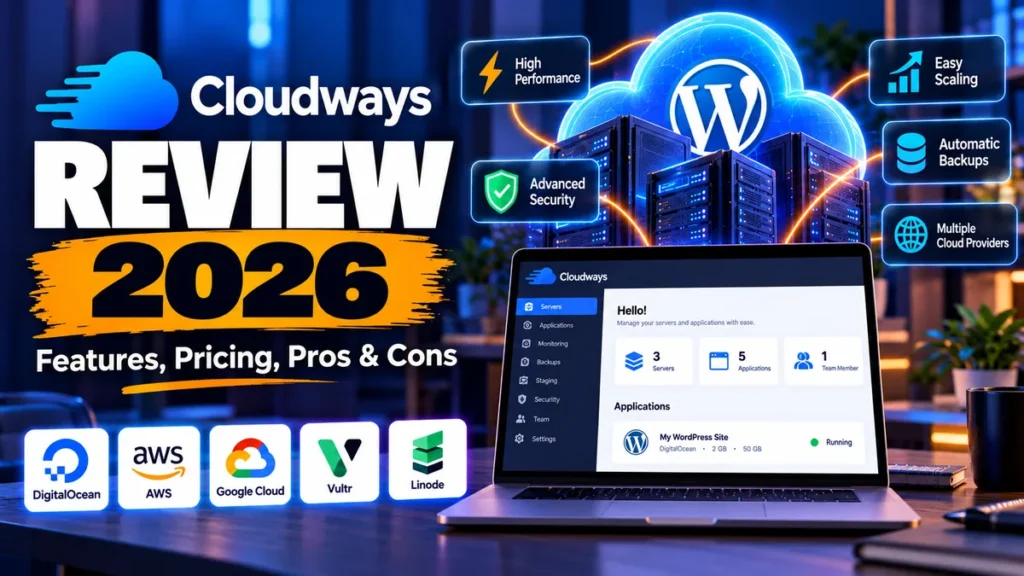
| Flexible cloud choices | DigitalOcean, Vultr, Linode, AWS and Google Cloud |
| Flexible entry price | Current pricing page shows DigitalOcean configurations from $11/month |
| Autonomous entry paid plan | Growth: $99/month for one WordPress application |
| Trial | 3-day trial currently advertised without a credit card |
| Billing | Pay-as-you-go/hourly model; exact charges depend on product and resources |
| Staging | Available on Flexible and Autonomous |
| SSL | Free Let’s Encrypt SSL supported |
| Backups | Off-site backups; Flexible backup storage currently $0.033/GB |
| Support | 24/7 chat, email and ticketing; paid enhanced support options exist |
| Best fit | Growing WordPress sites, agencies, ecommerce, developers and cloud-aware SMBs |
What Is Cloudways?
Cloudways is a managed cloud-hosting platform.
With Cloudways Flexible, you select infrastructure from supported cloud providers while Cloudways handles much of the server-management layer through its own dashboard and managed stack.
Cloudways currently documents support for DigitalOcean, Vultr, Linode, Amazon Web Services and Google Cloud infrastructure.
The practical attraction is that you can use established cloud infrastructure without configuring a raw server from scratch.
Cloudways Autonomous takes a different approach.
It is designed specifically around managed WordPress workloads and uses Kubernetes-based autoscaling.
It is intended for users who would rather let the platform respond to traffic demand than manually choose and resize a conventional server.
Cloudways Flexible vs Autonomous
| Feature | Cloudways Flexible | Cloudways Autonomous |
|---|---|---|
| Best for | Users wanting cloud/provider and server control | WordPress sites needing hands-off autoscaling |
| Infrastructure approach | Select a cloud provider and server resources | Kubernetes-based managed autoscaling |
| Applications | WordPress plus supported PHP applications | WordPress-focused |
| Scaling | Vertical server scaling | Automatic scaling within plan rules |
| Billing | Resource/server based, pay as you go | Per-application plan plus applicable autoscaling/overages |
| Complexity | More infrastructure choices | More abstracted and hands-off |
Cloudways Pricing in 2026
Cloudways pricing needs more explanation than a normal shared-hosting price table because the platform has two different hosting models and multiple infrastructure configurations.
Cloudways Flexible Pricing
At fact check, Cloudways’ public pricing page showed DigitalOcean-based Flexible configurations beginning at $11/month, with hourly billing also displayed.
A listed 2GB RAM, 1-vCPU configuration included 50GB storage and 2TB transfer.
Larger server configurations increase in price.
AWS and Google Cloud pricing also varies by infrastructure configuration and region, so the price displayed when provisioning is more useful than assuming one universal Cloudways rate.
Flexible includes features such as vertical scaling, a built-in firewall with IP blocking, Redis, advanced staging/cloning and a WordPress vulnerability scanner.
The public pricing page also currently lists unlimited visits and unlimited websites on the relevant Flexible server model, subject in practice to the resources your server can support.
Cloudways Autonomous Pricing
Cloudways Autonomous changed its pricing structure for newer subscriptions.
Current public pricing lists:
- Growth — $99/month: one website, one baseline autoscale server, 150GB bandwidth and 20GB disk space.
- Scale — $199/month: one website, two baseline autoscale servers, 250GB bandwidth and 50GB disk space.
- Plus — $399/month: one website, three baseline autoscale servers, 1,000GB bandwidth and 100GB disk space.
- Enterprise — custom pricing.
Autonomous visits are currently unmetered.
However, extra resource usage can cost more.
Current documentation lists bandwidth overage at $0.04/GB and disk overage at $1/GB.
Autoscaling beyond baseline capacity is charged hourly at plan-specific rates:
- Growth: $0.07 per additional container/hour
- Scale: $0.10 per additional container/hour
- Plus: $0.12 per additional container/hour
Cloudways lets Autonomous customers set an autoscaling budget threshold.
Once the threshold is reached, extra autoscaling can pause, although bandwidth and storage overages may still apply.
Backup and Other Charges
Cloudways Flexible off-site backup storage is currently billed separately at $0.033 per GB.
Additional bandwidth charges vary by infrastructure provider.
Optional services such as Cloudflare, malware protection, email, DNS tools, site-management tools and advanced support can also change the effective monthly cost.
Does Cloudways Offer a Free Trial?
Cloudways currently advertises a 3-day free trial without a credit card for its relevant trial flows, including Flexible and Autonomous.
This is more useful than relying on a conventional refund promise because Cloudways is fundamentally usage-billed.
Users should not assume that it operates like a shared host with a blanket 30-day money-back guarantee.
If you stop using Cloudways, make sure you actually delete unneeded active servers and disable paid add-ons.
Cloudways explicitly notes that simply leaving a server stopped or inactive does not necessarily stop billing.
Cloudways Features That Matter
1. Choice of Cloud Infrastructure
Flexible gives users access to several major infrastructure providers instead of locking every account to a single underlying cloud.
This is useful when region availability, server characteristics, bandwidth economics or organizational preferences matter.
2. Managed Server Layer
The central value proposition is management.
Cloudways provides a control panel and managed stack so WordPress users can handle many common server tasks without becoming Linux administrators.
3. Staging and Cloning
Cloudways supports staging environments on both Flexible and Autonomous.
Flexible users can create staging copies and push or pull files and databases between staging and production.
Application and server cloning options are also documented.
4. Scaling
Flexible supports vertical scaling of CPU, RAM and storage, with the exact process and limitations depending on the selected infrastructure provider.
Autonomous instead scales through additional Kubernetes resources when traffic demands it.
5. Caching and Performance Tooling
The current Flexible pricing page highlights Cloudways’ NGINX-based Lightning Stack along with Redis and Object Cache Pro on eligible configurations.
Autonomous includes Redis caching, Object Cache Pro + Relay and Cloudflare Enterprise CDN features under current plans.
These technologies are meaningful performance tools, but they should not be confused with proof that every Cloudways site will be faster than every competitor.
Real performance still depends on application code, WordPress configuration, database load, plugins, theme, traffic patterns and location.
6. Security
Cloudways provides server- and application-level security tooling that includes firewall capabilities and IP blocking.
Current Autonomous plans list built-in firewall/DDoS protection, malware protection and Cloudflare-related security features.
Free Let’s Encrypt SSL certificates can be installed from the platform for HTTPS.
7. Backups
Cloudways uses off-site backups as part of its resilience strategy.
Flexible backup storage is separately billed according to actual storage usage.
That is a small cost for many sites, but it belongs in a fair total-cost comparison.
8. Migration
Cloudways provides migration workflows and currently advertises free managed migration on its pricing page.
WordPress users can also use Cloudways migration tooling.
Complex sites should verify the exact migration scope and eligibility before assuming every migration scenario is included.
9. Support
Current plans advertise 24/7 chat, email and ticketing support.
Cloudways also sells enhanced support options for customers needing a broader support scope or faster/escalated assistance.
We have not independently benchmarked Cloudways’ support response or resolution times, so this review does not assign a support-speed score.
Cloudways Pros and Cons
- Managed layer over major cloud infrastructure
- Flexible pay-as-you-go billing model
- Choice between Flexible and autoscaling Autonomous
- Staging, cloning and scaling tools
- Free Let’s Encrypt SSL support
- Multiple global infrastructure locations
- Strong fit for agencies and multi-site workflows on Flexible
- 3-day trial currently available without a credit card
- Pricing is more complex than conventional shared hosting
- Backups and some add-ons cost extra
- Bandwidth economics vary by infrastructure provider
- Beginners must understand servers, resources and regions
- Autonomous is significantly more expensive than entry-level hosting
- Autonomous uses a one-application-per-plan structure under current pricing
- Stopping an unused Flexible server does not by itself guarantee billing stops
- Email hosting is not simply bundled like many traditional hosts
Cloudways for WordPress
WordPress is one of the clearest Cloudways use cases.
Flexible is attractive when you want to place multiple WordPress installations on a managed cloud server and control how much infrastructure you buy.
Autonomous is more appropriate when a single important WordPress or WooCommerce application needs automatic capacity changes and you prefer not to manage server sizing manually.
For a small personal blog with predictable traffic, Cloudways can be more infrastructure than necessary.
For a revenue-generating site, agency portfolio, WooCommerce store or growing content property, the additional control becomes easier to justify.
Cloudways for Agencies and Freelancers
Agencies benefit from the ability to host multiple applications on Flexible servers, clone environments, create staging sites and transfer servers between Cloudways accounts.
The main decision is operational: do you want several client sites sharing appropriately sized infrastructure, or isolated resources for important clients?
Resource planning matters because “unlimited websites” does not mean unlimited computing capacity.
Cloudways for Ecommerce
WooCommerce stores can benefit from managed caching, scalable resources, staging and cloud infrastructure.
Autonomous is specifically positioned for dynamic high-traffic ecommerce and similar workloads where traffic can spike.
However, autoscaling is not free beyond included baseline resources.
Stores planning major campaigns should budget for scaling, bandwidth and storage rather than evaluating only the base plan price.
Cloudways for GCC Users
Cloudways is relevant to businesses serving Saudi Arabia, the UAE and the wider GCC because its supported infrastructure ecosystem includes Middle East regions.
Region availability can change by provider.
GCC businesses with strict availability or data-residency requirements should verify the currently provisionable region at checkout and consider redundancy and disaster-recovery needs rather than relying on geography alone.
Also check billing currency, VAT treatment, payment compatibility and where backups or service data are processed if your organization has regulatory requirements.
Cloudways Alternatives
Kinsta
Kinsta is a stronger fit when you want a premium WordPress-specific managed environment with fewer infrastructure choices.
Cloudways gives you more control over the underlying hosting model; Kinsta abstracts more of it.
Hostinger
Hostinger is easier to recommend to price-sensitive beginners and small businesses that prefer conventional packaged hosting.
Cloudways is more appealing when cloud infrastructure flexibility and server-level scaling matter.
SiteGround
SiteGround offers a more traditional managed WordPress experience and can be simpler for users who do not want to choose infrastructure providers or manage cloud server resources.
WP Engine
WP Engine is another WordPress-focused managed alternative.
Compare it with Cloudways when developer workflows, managed WordPress specialization and support structure matter more than choosing the underlying cloud server.
Is Cloudways Good Value in 2026?
Cloudways Flexible can be excellent value when you actually use its management layer, multiple applications, staging, scaling and cloud flexibility.
Comparing its monthly price only against a raw cloud instance misses the point: Cloudways is charging for both infrastructure access and the managed platform around it.
Conversely, comparing Cloudways only with a low-cost introductory shared-hosting plan is equally misleading.
They target different levels of control and workload.
The value calculation becomes less attractive if you need only one tiny static or low-traffic WordPress site.
It becomes stronger as the cost of managing servers yourself—or the business impact of an inflexible hosting environment—increases.
Who Should Choose Cloudways?
Growing WordPress business: Flexible is a strong option when you want managed hosting but still care about resources and cloud location.
Agency or freelancer: Flexible is especially attractive for multiple applications, staging and client workflows.
WooCommerce store: compare a well-sized Flexible server with Autonomous if traffic spikes are a serious operational concern.
Developer: Cloudways offers more infrastructure visibility and deployment flexibility than many beginner hosts without requiring a fully unmanaged VPS.
High-traffic WordPress site: Autonomous deserves consideration when automatic scaling is worth the higher base price.
Beginner with one small blog: a simpler managed WordPress or shared-hosting plan may be cheaper and easier.
Final Verdict: Is Cloudways Worth It?
Cloudways is worth considering in 2026 for users who have outgrown basic hosting but do not want to administer cloud infrastructure entirely on their own.
Flexible is the more compelling product for cost-conscious developers, agencies and SMBs because it combines managed operations with infrastructure choice.
Autonomous is a more specialized—and more expensive—option for WordPress applications where traffic elasticity and a hands-off scaling model matter.
The main caution is cost visibility.
Before launching, calculate the server or plan fee plus backups, bandwidth, optional add-ons and potential autoscaling charges.
If you understand those moving parts, Cloudways can offer a useful middle ground between ordinary managed hosting and raw cloud infrastructure.
Frequently Asked Questions
How Much Does Cloudways Cost in 2026?
Cloudways Flexible pricing currently starts from configurations shown at $11/month on its public pricing page, while actual pricing varies by provider, server size and region.
Autonomous currently starts with the $99/month Growth plan.
Does Cloudways Have a Free Trial?
Yes. Cloudways currently advertises a 3-day free trial without requiring a credit card for relevant Flexible and Autonomous trial flows.
Is Cloudways Good for WordPress?
Yes, particularly for growing WordPress sites that benefit from managed cloud infrastructure, staging, caching, backups and scaling.
Very small sites may find simpler hosting easier and cheaper.
What Is the Difference Between Cloudways Flexible and Autonomous?
Flexible lets you choose cloud infrastructure and server resources, while Autonomous is a WordPress-focused Kubernetes-based service that automatically scales resources according to demand and plan limits.
Does Cloudways Include Backups?
Cloudways provides off-site backup functionality, but Flexible backup storage is billed separately.
The current rate is $0.033 per GB of backup storage.
Does Cloudways Include Email Hosting?
Cloudways focuses on web application hosting rather than bundling traditional mailbox hosting into the base server price.
Email services can involve separate add-ons or external providers.
Can Cloudways Handle WooCommerce?
Yes. Both the managed cloud approach and Autonomous are relevant to WooCommerce.
The right choice depends on store traffic, resource needs, expected spikes and budget.
Is Cloudways Beginner-Friendly?
It removes much of the complexity of administering a raw cloud server, but it still asks users to understand concepts such as server size, cloud provider, region, bandwidth and scaling.
Complete beginners may prefer a more conventional managed WordPress host.

