
Fact checked: October 5, 2026
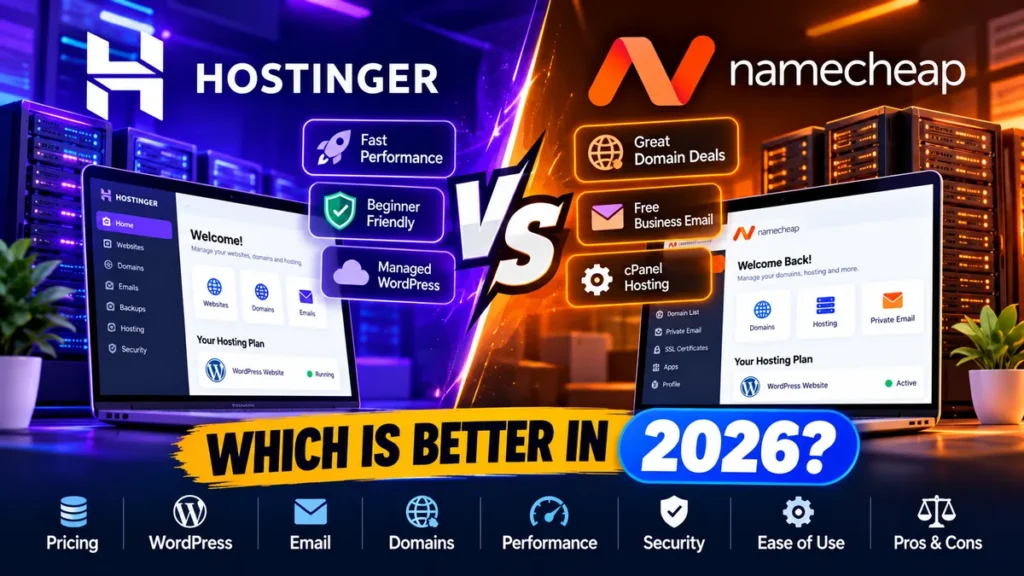
Hostinger vs Namecheap: Which Is Better in 2026?
Choosing between Hostinger and Namecheap is no longer simply a question of finding the cheapest web host. Both offer affordable hosting, WordPress support, domains, email and website-building tools, but they approach website management differently.
In this Hostinger vs Namecheap comparison, we examine current pricing, renewal costs, WordPress features, email, backups, control panels, domains, migrations, security and overall value to determine which provider makes more sense for different types of users in 2026.
This comparison is based on documented features, product demonstrations, and verified sources. We did not perform independent server-speed, uptime or load-testing benchmarks, so we do not claim that either provider is a specific percentage faster than the other.
Hostinger vs Namecheap: Quick Verdict
For most beginners, WordPress publishers and small businesses, Hostinger is our overall pick. Its current hosting platform combines managed WordPress functionality, backups, CDN, email, AI tools and website management through its beginner-friendly hPanel.
Namecheap is particularly attractive if you prefer traditional cPanel hosting, manage multiple domains, need numerous domain-based email accounts or want affordable shared hosting without committing to Hostinger’s longest promotional term.
Overall winner for most users: Hostinger
Better for cPanel, domains and traditional shared hosting: Namecheap
Hostinger vs Namecheap at a Glance
| Category | Hostinger | Namecheap | Our Pick |
|---|---|---|---|
| Entry hosting offer | Premium from $2.99/mo on current 48-month US promotion | Stellar from $2.28/mo on eligible current annual pricing | Namecheap for shorter commitment |
| Entry websites | 3 | 3 | Tie |
| Entry storage | 20GB SSD | 20GB SSD | Tie |
| Control panel | hPanel | cPanel | Depends on preference |
| WordPress experience | Managed WordPress-oriented platform | WordPress through cPanel/Softaculous plus separate EasyWP option | Hostinger |
| Plan-dependent; Premium currently includes 2 mailboxes/site free for first year | Stellar currently includes 30 mailboxes | Namecheap | |
| Backups | Weekly or daily depending on plan | AutoBackup on eligible higher Shared Hosting plans | Depends on plan |
| Free SSL | Yes | Yes, subject to product terms | Tie |
| Website migration | Free migration available | Free migration assistance available | Tie |
| Domain ecosystem | Strong | Core strength | Namecheap |
| Cloud upgrade path | Managed Cloud plans | Separate VPS, dedicated and EasyWP products | Hostinger |
| Best for | WordPress beginners, SMBs, creators | cPanel users, domain owners, budget shared hosting | Hostinger overall |
Pricing and promotions were checked on October 5, 2026. Hosting prices can change according to country, promotion, billing term, tax and checkout currency.
What Is the Main Difference Between Hostinger and Namecheap?
The biggest difference is the way each company approaches website hosting.
Hostinger has developed an increasingly integrated hosting ecosystem. Its web-hosting packages combine hosting, WordPress management, hPanel, website-building tools, AI functionality, email, backups, CDN and security-related features.
Namecheap retains more of a traditional hosting structure. Its Shared Hosting plans use cPanel, support WordPress installation through Softaculous and include domain-based email functionality. Namecheap also offers separate products such as EasyWP for managed WordPress.
Choose Hostinger if: you want a simplified all-in-one WordPress and website-management experience.
Choose Namecheap if: you prefer cPanel, manage domains extensively or value conventional shared-hosting controls.
Hostinger vs Namecheap Pricing in 2026
Pricing requires careful comparison because introductory monthly equivalents do not tell the entire story.
Hostinger Pricing
At our October 5, 2026 fact check, Hostinger’s US web-hosting page listed the following promotional pricing:
| Hostinger Plan | Promotional Price | Renewal | Websites | Storage |
|---|---|---|---|---|
| Premium | $2.99/mo | $10.99/mo | 3 | 20GB SSD |
| Unlimited | $3.99/mo | $16.99/mo | Unlimited* | 50GB NVMe |
| Cloud Startup | $7.99/mo | $25.99/mo | Unlimited* | 100GB NVMe |
The strongest advertised Hostinger introductory rates currently require a 48-month upfront commitment.
For example, a $2.99 monthly equivalent over 48 months means paying the multi-year contract upfront rather than paying $2.99 one month at a time.
This distinction is essential when evaluating Hostinger’s value.
Hostinger can be inexpensive over the introductory period, but buyers should budget for the substantially higher renewal rate.
*Unlimited features remain subject to Hostinger’s applicable Fair Usage Policy and technical limits.
Namecheap Pricing
Namecheap’s current Shared Hosting pricing is structured differently and can be attractive to users who prefer shorter commitments.
| Namecheap Plan | Current Promotional Price | Current Renewal Reference | Websites | Storage |
|---|---|---|---|---|
| Stellar | $2.28/mo | $55.88/year | 3 | 20GB SSD |
| Stellar Plus | $2.98/mo | $85.44/year | Unlimited* | Unmetered SSD* |
| Stellar Business | $4.98/mo | $128.88/year | Unlimited* | 50GB |
Namecheap’s renewal pricing changed during 2026, which is another reminder to evaluate the renewal rate rather than relying solely on an introductory offer.
*Unlimited and unmetered resources remain subject to Namecheap’s applicable hosting and usage policies.
Pricing Winner: Namecheap for Shorter Commitment
Namecheap has an advantage for buyers who do not want to prepay four years to obtain the strongest headline discount.
Hostinger can still deliver strong long-term value, particularly if you know you will keep the website for several years.
The correct comparison is:
Initial total cost + renewal cost + required features.
Do not compare the two providers using the promotional monthly number alone.
WordPress Hosting: Hostinger vs Namecheap
Hostinger for WordPress
WordPress is deeply integrated into Hostinger’s hosting platform.
Its current plans combine WordPress-oriented management tools with backups, security, SSL, website migration, caching-related functionality and its proprietary hPanel interface.
For beginners, this integrated approach reduces the need to understand traditional hosting administration before launching a WordPress website.
Namecheap for WordPress
Namecheap Shared Hosting follows a more traditional route.
WordPress can be installed through Softaculous, while cPanel provides access to files, databases, domains, email and other hosting functions.
Namecheap has also added AI-assisted WordPress and website-building functionality to its current hosting ecosystem.
For users wanting a more specialized managed WordPress experience, Namecheap separately offers EasyWP.
WordPress Winner: Hostinger
For a new WordPress user, Hostinger gets our preference because its hosting experience is more tightly designed around simplified WordPress and website management.
Experienced cPanel users may prefer Namecheap precisely because it maintains a familiar conventional hosting workflow.
hPanel vs cPanel
Control-panel preference is one of the most meaningful differences between these hosts.
Hostinger hPanel
Hostinger uses its proprietary hPanel.
It centralizes common website, WordPress, email, domain, backup and security tasks inside Hostinger’s own interface.
For beginners and business owners who do not administer servers professionally, this can make routine hosting management easier to understand.
The trade-off is familiarity. Users who have spent years working in cPanel need to adapt to a different interface and workflow.
Namecheap cPanel
Namecheap Shared Hosting uses cPanel.
That makes Namecheap attractive to developers, freelancers and administrators who already know how to manage File Manager, databases, PHP settings, email accounts, domains and application installations through cPanel.
Ease-of-Use Winner
Beginners: Hostinger
Experienced cPanel users: Namecheap
Email Hosting
Email is an area where Namecheap deserves particular attention.
Hostinger Email
Hostinger Premium currently includes two mailboxes per website free for the first year.
Higher current plans provide broader mailbox allowances, but buyers should pay attention to the phrase “free for the first year.”
Do not assume an included email service will remain free indefinitely.
Namecheap Email
Namecheap Stellar currently includes 30 mailboxes.
Stellar Plus and Stellar Business currently advertise unlimited mailboxes subject to applicable hosting limits and policies.
Namecheap’s traditional shared-hosting environment also supports familiar domain-email functionality through cPanel.
Email Winner: Namecheap
For a business that wants numerous domain-based mailboxes included with Shared Hosting, Namecheap currently offers the stronger proposition.
Storage and Website Limits
The entry-level plans are surprisingly similar.
Hostinger Premium and Namecheap Stellar currently support three websites and provide 20GB SSD storage.
The differences become clearer on higher tiers.
Hostinger Unlimited currently provides 50GB NVMe storage and an unlimited-site allowance subject to fair-use rules, while Cloud Startup increases storage to 100GB NVMe.
Namecheap Stellar Plus currently advertises unlimited websites and unmetered SSD storage subject to its hosting policies.
Hostinger vs Namecheap Backups
Backups should be compared at the individual plan level.
Hostinger Premium currently includes weekly backups. Its higher web-hosting tiers provide stronger backup functionality, including daily backups on applicable plans.
Namecheap currently provides AutoBackup functionality on eligible higher Shared Hosting plans, including automated daily, weekly and monthly backup options according to the relevant plan.
For a revenue-generating WordPress website, daily backups are worth prioritizing even if that means selecting a higher plan.
Backup Winner: Depends on Plan
Neither company’s cheapest package should automatically be considered the best choice for an important business website.
Security and SSL
Both hosts provide the basic security functionality expected from modern web hosting.
Hostinger’s current hosting packages include SSL and managed security-related functionality.
Namecheap Shared Hosting includes SSL functionality and Imunify360 security within its hosting environment.
Hosting security does not eliminate the website owner’s responsibilities.
WordPress core, themes and plugins should still be maintained, administrator accounts should use strong authentication practices, and important websites should have a recovery strategy independent of a single live server.
Website Migration
Both Hostinger and Namecheap provide migration options intended to reduce the difficulty of changing hosts.
Hostinger currently advertises free website migration with eligible hosting services.
Namecheap also provides free migration assistance for applicable new hosting customers.
For a simple WordPress website, either provider can therefore be considered migration-friendly.
Complex ecommerce, membership or high-traffic sites should confirm the exact migration scope with the provider before purchasing.
Migration Winner: Tie
Domains: Where Namecheap Stands Out
Namecheap’s domain ecosystem remains one of its strongest competitive advantages.
For freelancers, affiliate publishers or businesses managing many domains, keeping registration, DNS and conventional hosting administration inside one established domain-focused ecosystem can be convenient.
Hostinger also includes a free domain for the first year on eligible hosting plans.
However, a free first-year domain should never determine a long-term hosting decision by itself.
Always compare the renewal price of the exact domain extension you intend to keep.
Domain-Management Winner: Namecheap
Hostinger vs Namecheap Performance
Hosting comparisons often become unreliable when publishers present performance claims without controlled testing.
We did not independently benchmark identical websites on Hostinger and Namecheap.
Therefore, we do not claim that either provider is a specific percentage faster.
Hostinger’s higher current plans include technologies such as NVMe storage and CDN functionality. Its Cloud Startup plan provides dedicated resources and represents a clearer step up from conventional shared hosting.
Namecheap provides SSD-based Shared Hosting and a traditional hosting stack with plan- and location-specific infrastructure.
Real WordPress performance depends on many variables:
- Hosting resources
- Theme quality
- Plugin load
- Database size
- Page caching
- Image optimization
- Traffic volume
- Origin-server location
- CDN configuration
For a growing site that has moved beyond basic shared hosting, Hostinger provides a relatively straightforward path into its managed Cloud plans.
Hostinger vs Namecheap for GCC Users
Businesses and creators in Saudi Arabia, the UAE and the wider GCC should not make a hosting decision solely from US pricing.
Hostinger operates localized storefronts, and promotional pricing can differ by market.
Namecheap offers multiple hosting-location options depending on the product and current availability.
For a GCC-focused website, consider:
- Where most visitors are located
- Available server region
- CDN coverage
- Checkout currency
- VAT or other tax treatment
- Payment-card compatibility
- Data-processing requirements
For a Riyadh- or Dubai-focused WordPress small-business site, Hostinger’s integrated management environment is attractive.
Namecheap remains compelling for GCC users who specifically want cPanel, domain management and bundled email.
Refund Policies
Hostinger
Hostinger currently provides a 30-day refund window for eligible hosting purchases, subject to its exclusions and refund-policy conditions.
Some domain transactions, payment methods and other products are excluded or handled differently.
If a hosting package includes a free domain and the hosting purchase is refunded, applicable domain costs may be deducted.
Namecheap
Namecheap provides a 30-day money-back guarantee for eligible first-time Shared, Reseller and VPS hosting purchases.
Hosting renewals and other products follow different refund conditions.
Hostinger Pros and Cons
Pros
- Beginner-friendly hPanel
- Strong WordPress focus
- Competitive introductory pricing
- Free domain on eligible plans
- SSL included
- CDN functionality included on current plans
- Weekly or daily backups depending on plan
- Website and AI tools integrated into the platform
- Clear managed Cloud upgrade path
- 30-day refund policy for eligible services
Cons
- Best promotional price requires a long upfront commitment
- Renewal pricing is significantly higher than introductory pricing
- Some email benefits are limited to the first year
- No traditional cPanel on mainstream hosting
- Unlimited features remain subject to fair-use policies
Namecheap Pros and Cons
Pros
- Competitive Shared Hosting prices
- Uses cPanel
- Strong domain-management ecosystem
- Domain-based email included with Shared Hosting
- Stellar Plus currently supports unlimited websites under applicable terms
- SSL included
- Migration assistance available
- Multiple hosting-location options
- WordPress and AI website-building tools available
- 30-day guarantee for eligible first-time hosting purchases
Cons
- Hosting renewal prices increased during 2026
- Cheapest plan has more limited backup functionality
- cPanel may feel less streamlined to complete beginners
- Managed WordPress is offered separately through EasyWP
- Unlimited and unmetered resources still have usage restrictions
Which Is Better for Small Businesses?
For most small businesses, Hostinger wins narrowly.
The reason is convenience rather than an unverified performance claim.
A small-business owner can combine website hosting, WordPress management, SSL, backups, CDN, email and website-building functionality inside a relatively streamlined interface.
Namecheap becomes more attractive when domain administration, cPanel or numerous included email accounts are higher priorities.
Which Is Better for Bloggers?
For a new WordPress blogger, Hostinger is easier to recommend.
Its WordPress-oriented workflow can reduce the amount of traditional hosting administration a content creator needs to learn.
A blogger operating several smaller websites, however, should examine Namecheap Stellar Plus because its current plan structure includes unlimited websites subject to applicable resource policies.
Which Is Better for Freelancers and Agencies?
This depends heavily on workflow.
Freelancers accustomed to cPanel may prefer Namecheap because it fits an established hosting-management environment.
Agencies wanting more resources while maintaining a managed interface should examine Hostinger’s Cloud plans.
Once client websites become high-value or mission-critical, it is also sensible to compare specialist managed WordPress and cloud providers rather than limiting the decision to these two companies.
Hostinger vs Namecheap: Final Recommendation by User Type
| User Type | Better Choice | Why |
|---|---|---|
| First website | Hostinger | Easier integrated workflow |
| WordPress beginner | Hostinger | Stronger managed WordPress orientation |
| Small business | Hostinger | Broad all-in-one feature set |
| Blogger | Hostinger | Simpler WordPress management |
| cPanel user | Namecheap | Traditional cPanel environment |
| Domain-heavy user | Namecheap | Strong domain ecosystem |
| Email-heavy business | Namecheap | More bundled mailboxes on current plans |
| Multiple smaller sites | Namecheap Stellar Plus | Current unlimited-site allowance subject to policies |
| Growing business website | Hostinger | Clear managed Cloud upgrade path |
| GCC WordPress SMB | Hostinger | Integrated management; verify regional pricing and infrastructure |
| Developer wanting cPanel | Namecheap | Traditional hosting controls |
Hostinger vs Namecheap: Which Should You Choose?
For most readers comparing Hostinger vs Namecheap in 2026, our choice for a new WordPress website is Hostinger.
Its integrated management experience, WordPress orientation and upgrade path make it particularly suitable for beginners, creators and small businesses.
Choose Namecheap instead if your priorities are cPanel, domain management, numerous domain-based email accounts, affordable traditional shared hosting or avoiding Hostinger’s longest introductory commitment.
The Bottom Line
Do not choose between Hostinger and Namecheap based only on the advertised introductory monthly price.
Compare the upfront contract cost, renewal price, number of websites, email requirements, backup level, storage, migration support, control panel and future upgrade needs.
That provides a much more realistic picture of long-term value.
Frequently Asked Questions
Is Hostinger better than Namecheap in 2026?
For most beginners and WordPress-focused small businesses, we prefer Hostinger because of its integrated website-management environment, WordPress tools, backups and upgrade path. Namecheap is particularly strong for users who prioritize cPanel, domains and bundled email.
Which is cheaper, Hostinger or Namecheap?
It depends on the billing period. Hostinger Premium currently starts at $2.99 per month on its 48-month US promotional term, while Namecheap Stellar currently starts at $2.28 per month on eligible promotional pricing. Contract length and renewal prices make a simple headline-price comparison misleading.
Is Namecheap good for WordPress?
Yes. Namecheap Shared Hosting supports WordPress through Softaculous and includes WordPress-related tools. Namecheap also operates EasyWP as a separate managed WordPress service.
Does Hostinger use cPanel?
Hostinger’s mainstream web-hosting platform uses its proprietary hPanel instead of cPanel. Users who specifically prefer traditional cPanel administration may be more comfortable with Namecheap Shared Hosting.
Does Namecheap include email hosting?
Yes. Namecheap Shared Hosting includes domain-based email. Stellar currently lists 30 mailboxes, while higher Shared Hosting tiers provide broader mailbox allowances subject to current plan terms.
Which is better for multiple websites?
Namecheap Stellar Plus is attractive for multiple smaller websites because it currently permits unlimited websites subject to its hosting policies. Hostinger’s higher current plans also provide unlimited-site allowances subject to fair-use and technical limitations.
Do Hostinger and Namecheap offer money-back guarantees?
Both provide 30-day refund protection for eligible hosting purchases, but their eligibility rules and exclusions differ. Check the current refund policy for the exact service and payment method before purchasing.
Which is better for Saudi Arabia and the UAE?
Either can work for GCC websites. Hostinger is attractive for its integrated WordPress management experience, while Namecheap is compelling for cPanel, domains and email. GCC buyers should also compare server location, CDN availability, regional pricing, tax treatment and data requirements.

