Running a small business often means doing the work of several departments at once. You may be answering customers, writing proposals, planning marketing campaigns, researching competitors, managing projects and reviewing operations—all within the same day.
That is where the best AI tools for small business can make a meaningful difference. In 2026, AI software is no longer limited to generating a few paragraphs of text. Small businesses can use AI to research markets, summarize documents, automate repetitive tasks, manage meetings, create marketing material, organize company knowledge and improve everyday productivity.
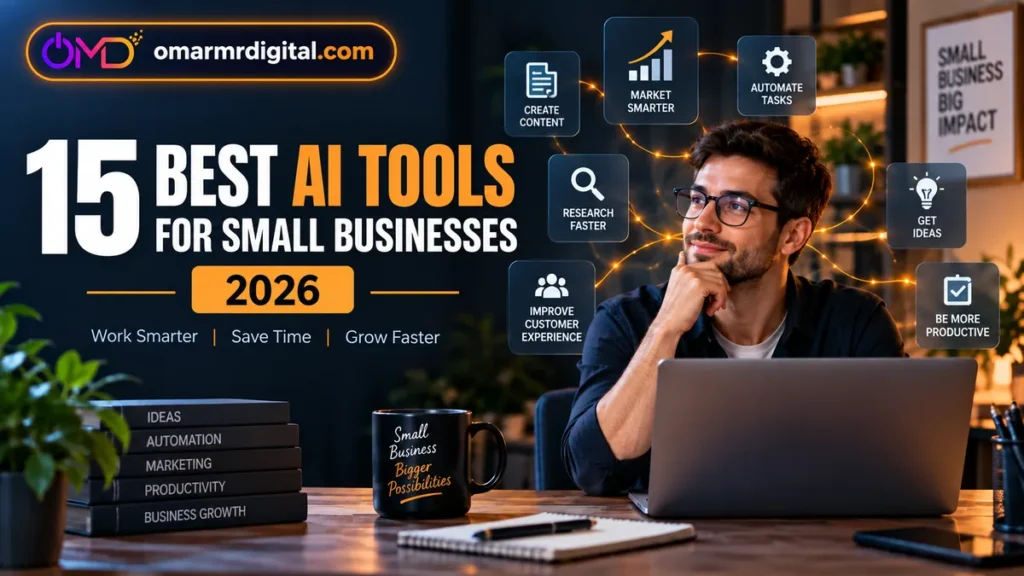
This guide compares 15 useful AI tools for small businesses, entrepreneurs, freelancers and lean teams, focusing on practical use cases, value, limitations and the kinds of businesses each product suits best.
- Best overall AI assistant: ChatGPT
- Best for long documents and writing: Claude
- Best for Google Workspace users: Google Workspace with Gemini
- Best for Microsoft businesses: Microsoft 365 Copilot
- Best for AI research: Perplexity
- Best for company knowledge: Notion AI
- Best for project management: ClickUp Brain
- Best for workflow automation: Zapier
- Best for design and marketing: Canva
- Best for business writing: Grammarly
- Best for marketing workflows: Jasper
- Best for CRM and sales AI: HubSpot Breeze
- Best for email marketing: Mailchimp
- Best for meeting notes: Fireflies.ai
- Best alternative meeting assistant: Otter.ai
Best AI tools: quick comparison
| Tool | Purpose | Free option | Best for |
|---|---|---|---|
| ChatGPT | General AI productivity | Yes | Founders, freelancers and lean teams |
| Claude | Writing and document analysis | Yes | Consultants and document-heavy work |
| Google Workspace with Gemini | AI inside Gmail, Docs and Workspace | Varies | Google Workspace businesses |
| Microsoft 365 Copilot | AI inside Microsoft 365 | Limited/trial | Microsoft-centric teams |
| Perplexity | Web research | Yes | Market and competitor research |
| Notion AI | Knowledge management | Limited | Startups and knowledge teams |
| ClickUp Brain | AI project management | Trial | Agencies and service teams |
| Zapier | Workflow automation | Yes | Multi-app business workflows |
| Canva | Design and marketing | Yes | Visual content creation |
| Grammarly | Business writing | Yes | Emails, proposals and communication |
| Jasper | Marketing workflows | Trial | Marketing teams and agencies |
| HubSpot Breeze | CRM, sales and marketing AI | Yes | Growing sales-driven businesses |
| Mailchimp | Email marketing | Varies | Email campaigns and audience growth |
| Fireflies.ai | Meeting transcription | Yes | Sales and remote teams |
| Otter.ai | Meeting notes | Yes | Meeting-heavy professionals |
Features, prices, free-plan limits and regional availability can change. Confirm current terms on the official product website before purchasing.
1. ChatGPT — best overall AI assistant
ChatGPT is one of the broadest AI platforms available to small businesses. It can assist with business writing, brainstorming, research, spreadsheets, document analysis, customer-response drafts, marketing ideas, coding, workflow planning and internal documentation.
For a small company that does not want a separate AI tool for every minor task, that flexibility is a major advantage.
Advantages: Broad range of business use cases, file and data workflows, writing support and productivity features.
Limitations: Important factual, financial, legal or regulatory outputs still require verification. Teams should define what confidential information may be uploaded.
2. Claude — best for writing and document-heavy work
Claude is a strong option for businesses that regularly work with long documents, detailed reports, policies, proposals and structured written content.
It can help summarize lengthy material, organize complex information and produce polished drafts for professional workflows.
Advantages: Strong long-document workflows, structured writing and thoughtful drafting.
Limitations: Teams already deeply invested in Google Workspace or Microsoft 365 may prefer AI embedded directly inside those ecosystems.
3. Google Workspace with Gemini — best for Google Workspace users
If your company already relies on Gmail, Google Drive, Docs, Sheets, Meet and Calendar, Gemini can reduce the need to copy information between separate applications.
Depending on the Workspace edition, Gemini can assist with email drafting and summarization, documents, spreadsheets, meetings and information discovery across supported Google apps.
Advantages: AI inside familiar productivity tools with useful workspace context.
Limitations: Features can vary by edition, administrator settings and region.
4. Microsoft 365 Copilot — best for Microsoft-based businesses
For organizations running on Outlook, Word, Excel, PowerPoint and Teams, Microsoft 365 Copilot can provide AI assistance inside the productivity tools employees already use.
Typical uses include email summarization, document drafting, spreadsheet support, presentations and meeting-related workflows.
Advantages: Native integration with Microsoft productivity apps.
Limitations: Calculate the combined cost of Microsoft 365 plus Copilot rather than looking only at the AI add-on.
5. Perplexity — best for AI-assisted research
Perplexity focuses on web research and source-supported answers. It can be useful for competitor research, product comparisons, industry monitoring, market exploration and early-stage research.
Its source-oriented interface can make research easier to verify than an unsourced AI answer, although important claims should still be checked independently.
Advantages: Fast source discovery and citation-oriented research.
Limitations: A cited answer can still rely on weak sources or contain questionable interpretations.
6. Notion AI — best for company knowledge management
Notion combines documents, databases, project information, company knowledge and AI capabilities inside one workspace.
It can be useful for internal documentation, company wikis, meeting notes, standard operating procedures, content calendars, research databases and AI-assisted workspace search.
Advantages: Company information, documentation and AI can live in the same environment.
Limitations: Migrating from a mature existing system can create more work than the AI features save.
7. ClickUp Brain — best for AI project management
ClickUp combines tasks, documents, project planning and AI. Its value is context: AI can work around project and workspace information rather than requiring employees to explain the same assignment repeatedly.
Typical applications include project summaries, task assistance, workspace search, status updates and planning.
Advantages: AI connected to project-management context and team workflows.
Limitations: ClickUp’s broad feature set can require more setup than lightweight task managers.
8. Zapier — best for AI workflow automation
One of the most useful applications of AI is removing repetitive administrative work. Zapier connects cloud applications and lets businesses automate actions between them without building custom software.
A small business can use Zapier to route leads, summarize inquiries, categorize messages, generate draft follow-ups, update spreadsheets and move information between business systems.
Advantages: Large integration ecosystem and flexible automation.
Limitations: Complex workflows can become expensive and difficult to troubleshoot, especially when AI steps consume additional task usage.
9. Canva — best for AI-assisted design and marketing
Canva combines templates, image editing, presentations, video tools, brand assets and AI-assisted creation. It is particularly useful for small businesses that need regular marketing visuals without a full-time designer.
Businesses can use it for social graphics, presentations, brochures, short videos, advertisements, proposals and branded templates.
Advantages: Accessible visual production, reusable templates and brand tools.
Limitations: Publishing templates without customization can make a brand look generic.
10. Grammarly — best for everyday business writing
Grammarly focuses more narrowly on improving written communication. That can be valuable for teams that mainly need help making emails, proposals, website text and customer communication clearer and more professional.
Advantages: Writing assistance close to everyday communication workflows.
Limitations: It does not replace a research assistant, CRM, automation platform or project-management system.
11. Jasper — best for structured marketing workflows
Jasper is more specialized than general-purpose AI assistants and focuses on marketing workflows, campaign content, brand consistency and structured production.
It can make sense for agencies and marketing-heavy teams that need a dedicated platform for repeatable marketing output.
Advantages: Marketing-specific workflows, brand controls and content production tools.
Limitations: Businesses that produce marketing content only occasionally may get enough functionality from a general AI assistant.
12. HubSpot Breeze — best for CRM, sales and marketing AI
HubSpot’s AI functionality becomes more useful when it can work with customer, sales and marketing information already stored in the CRM.
Depending on the plan and HubSpot products being used, AI can support lead handling, sales workflows, customer communication, marketing and content.
Advantages: AI connected directly to customer and revenue workflows.
Limitations: Costs can rise as contacts, seats, hubs and AI credit usage increase.
13. Mailchimp — best for AI-assisted email marketing
Mailchimp combines email campaigns, audience management, automation and AI-assisted marketing features. It can be useful for businesses building an email audience they control directly.
Advantages: Email campaign tools, automation and audience management in one platform.
Limitations: Pricing typically increases as contacts grow, and some AI features can have plan or regional restrictions.
14. Fireflies.ai — best for AI meeting notes
Fireflies.ai helps record, transcribe, summarize and organize information from business meetings. For meeting-heavy teams, the main benefit is reducing the administrative work required after every call.
Advantages: Searchable transcripts, summaries, action items and integrations.
Limitations: Recording and consent laws differ by jurisdiction. Establish an appropriate consent process before recording external conversations.
15. Otter.ai — best alternative for meeting transcription
Otter.ai is another established option for businesses that want automated meeting notes and searchable conversation records.
Depending on the plan, features can include transcription, summaries, speaker identification, AI chat across meetings, file imports and workflow integrations.
Advantages: Focused meeting transcription and searchable conversation history.
Limitations: Test it with representative meetings before rolling it out across a large team, especially if language support or integrations are critical.
Recommended AI tool stacks
Solo consultant
ChatGPT or Claude, Perplexity and Grammarly.
Marketing freelancer
ChatGPT or Claude, Canva, Grammarly and Zapier.
Small agency
ChatGPT or Claude, ClickUp or Notion, Canva, Zapier and Fireflies.
Google Workspace business
Gemini, Canva and Zapier, adding specialist products only when a clear gap appears.
Microsoft 365 business
Microsoft 365 Copilot, Canva and an automation platform where required.
Sales-focused small business
HubSpot, Fireflies or Otter, plus a general-purpose AI assistant.
How to calculate whether an AI tool is worth paying for
Do not evaluate AI software only by the monthly subscription price. Estimate how much work the tool actually removes.
If a tool costs $30 per month but consistently saves two employee hours every week, that is roughly eight hours of recovered time each month. If those hours are worth substantially more than the subscription, the software may be easy to justify.
How many hours does it save each month?
Does it replace another paid product or outside service?
Does it help employees spend more time on higher-value work?
Would the workflow remain efficient without it?
Avoid paying for overlapping AI tools
Feature overlap is becoming a major software-cost issue. ChatGPT, Claude, Gemini, Copilot and Perplexity can all perform some forms of writing and research. Canva and marketing platforms generate copy. Notion and ClickUp combine AI with workplace information. Fireflies and Otter both cover meetings.
Before adding another subscription, ask: What does this tool give us that our current software does not? If the answer is unclear, you probably do not need it yet.
Privacy and security questions to ask before using business AI
AI tools can process emails, documents, meetings, customer information and internal business data, so privacy should be part of the buying decision.
- Whether business data is used for model training.
- How long uploaded information is retained.
- Whether administrators can manage permissions.
- What connected applications can access.
- What happens to access when an employee leaves.
- Whether the platform supports your contractual or regulatory requirements.
- Where data may be processed or stored.
Final verdict
The best AI tools for small business are not necessarily the products with the longest feature lists. They are the tools that remove real work without adding unnecessary cost or complexity.
For broad everyday assistance, compare ChatGPT, Claude and Gemini. Use Perplexity when research is a priority, Canva when visual marketing matters, Zapier when repetitive processes need automation, Notion or ClickUp when company knowledge and projects are becoming difficult to organize, and Fireflies or Otter when meetings create significant administrative work.
Start small: choose one painful workflow, test one relevant product and measure the time saved. Expand your AI stack only when another clear business need appears.
Frequently asked questions
What is the best AI tool for a small business?
There is no single best option for every business. ChatGPT and Claude are strong general-purpose choices, while Gemini and Microsoft 365 Copilot can be particularly useful for companies already using their respective productivity ecosystems.
What are the best free AI tools for small businesses?
ChatGPT, Claude, Perplexity, Canva, Fireflies and Otter all provide some form of free access. Free-plan limits change regularly, so confirm the latest conditions before relying on one for an important workflow.
What AI tools are best for marketing?
Canva is useful for visual marketing, Jasper focuses on dedicated marketing workflows, HubSpot connects AI with CRM and marketing data, and Mailchimp focuses on email marketing. General assistants can also support strategy, research and content creation.
Can AI tools save a small business money?
They can when they reduce repetitive work, replace another subscription or let employees spend more time on higher-value activities. Simply adding AI subscriptions without changing workflows is unlikely to produce meaningful savings.
Are AI tools safe for confidential business data?
Security and privacy protections vary by service and plan. Review the vendor’s current business privacy documentation, retention policy, permissions and data controls before submitting sensitive company or customer information.
Should a small business subscribe to several AI assistants?
Usually not at the beginning. Start with one primary assistant and add specialist software only when it solves a clearly different business problem.
Last reviewed: September 19, 2026.