
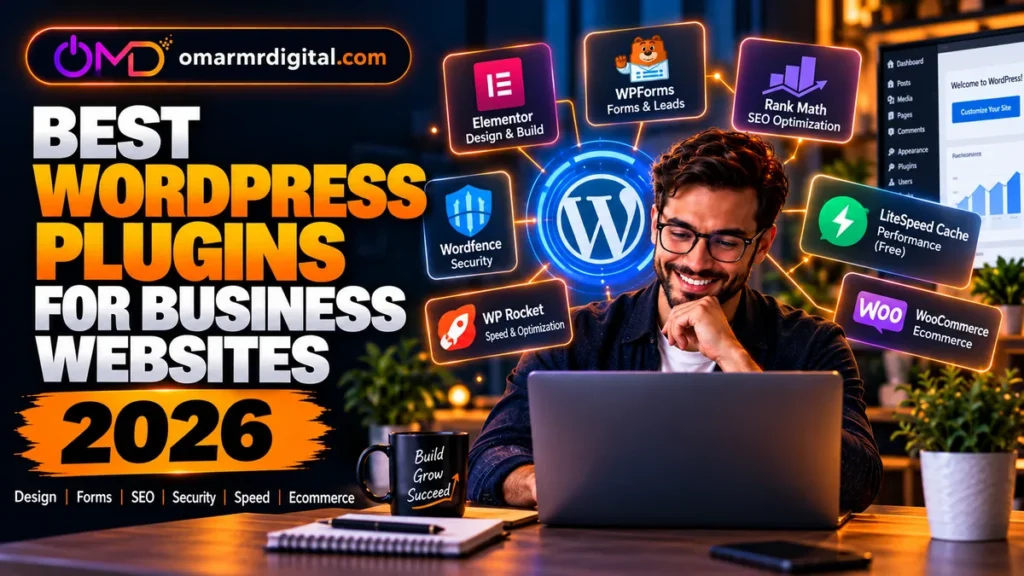
A business WordPress site rarely needs dozens of plugins. It needs a small, dependable stack that solves specific jobs without creating unnecessary maintenance, security or performance problems.
The best WordPress plugins for business websites should help you build pages, capture leads, improve search visibility, protect the site, manage performance and—when relevant—sell online. The right combination depends on your hosting environment, business model and existing theme or builder.
For this 2026 guide, we focused on established tools with clear business use cases: Elementor, WPForms, Rank Math, Wordfence, LiteSpeed Cache, WP Rocket and WooCommerce. You do not need all seven. In several categories, choosing one option means you should not install another that performs the same core job.
- Page building: Elementor is useful when you need visual design control beyond your theme or the block editor.
- Lead forms: WPForms combines contact forms with more advanced business workflows on paid tiers.
- SEO: Rank Math offers a free plugin plus paid plans for users who need expanded SEO tooling.
- Security: Wordfence provides a free security plugin, while Premium adds real-time protection updates and other controls.
- Performance: LiteSpeed Cache is especially compelling on compatible LiteSpeed hosting; WP Rocket is a paid alternative for a broader range of hosting environments.
- Ecommerce: WooCommerce core is free, but stores should budget for hosting, payment processing and any paid extensions they actually need.
- Rule to remember: Avoid installing overlapping plugins merely because each appears on a “must-have” list.
Best WordPress plugins for business websites: quick comparison
| Plugin | Main job | Free option | Paid pricing snapshot* | Best fit |
|---|---|---|---|---|
| Elementor | Visual website building | Yes | Multiple annual tiers; verify live checkout | Businesses wanting visual design control |
| WPForms | Forms and lead capture | Yes | Basic advertised from $49.50 first year; renews at $99 | Contact, lead and payment forms |
| Rank Math | WordPress SEO | Yes | Paid PRO/Business/Agency options; verify current regional price | Sites wanting integrated SEO controls |
| Wordfence | Security | Yes | Premium $149/year for one license | Self-managed WordPress security |
| LiteSpeed Cache | Caching and optimization | Yes | Plugin is free; some QUIC.cloud usage can cost extra | Sites on LiteSpeed-compatible infrastructure |
| WP Rocket | Performance optimization | No | Single $59.95/year | Businesses wanting a paid caching/performance plugin |
| WooCommerce | Ecommerce | Yes | Core platform free; extensions and services vary | WordPress stores |
*Pricing checked September 25, 2026. Promotional pricing, renewals, taxes, currencies and plan structures can change. Always verify the merchant checkout before buying.
Check Elementor Options1. Elementor — visual website building
Elementor is relevant to business owners who want more visual control over WordPress pages than their existing theme or the native block editor provides.
Elementor currently offers a free website builder as well as paid annual plans. Its paid tiers add different combinations of Theme Builder, dynamic content, form functionality, popup functionality, custom code/CSS and ecommerce features. The exact feature mix depends on the tier, so businesses should compare the current plan table rather than assuming every paid license includes everything.
Elementor has also expanded its ecosystem in 2026. Its current documentation describes Elementor One as a suite built around credits for additional website-management and optimization tools, including image optimization, cookie consent, accessibility and email deliverability.
Service businesses, agencies, consultants and small companies that want to build branded landing pages and website layouts visually without developing every template from code.
Pros
- Free version available.
- Visual drag-and-drop workflow.
- Paid tiers can add Theme Builder, forms, popups and dynamic content.
- Suitable for landing pages and custom business layouts.
- Single-site and multi-site paid options are available.
Cons
- Not every premium capability is included in every plan.
- A page builder adds another layer to maintain alongside WordPress and your theme.
- Businesses already satisfied with the block editor may not need it.
- Over-designed pages can become harder to maintain regardless of the builder used.
Who should avoid Elementor?
If your theme and WordPress block editor already produce the layouts you need, adding a separate page builder may increase complexity without solving a meaningful business problem.
Value for money
Elementor makes the most financial sense when visual page building replaces recurring development work or lets your team publish landing pages faster. Because its pricing page uses multiple tiers and can show regional or promotional differences, verify the exact annual cost and renewal rate at checkout.
2. WPForms — forms and lead capture
A business website needs a reliable way to turn visitors into enquiries. WPForms covers basic contact forms but also expands into more advanced lead, payment and workflow use cases.
WPForms has a free version. On the official pricing page checked for this guide, the paid Basic plan was advertised at $49.50 for the first year for one site, with a regular renewal price of $99. Plus, Pro and Elite expand site allowances and integrations.
Basic includes features such as entry management, file uploads, multi-page forms and conditional logic. Plus adds more marketing integrations. Pro adds a broader payment and conversion toolkit, while Elite targets more advanced integrations and multi-site requirements.
WPForms states that its paid licenses include a 14-day money-back guarantee. Promotional first-year prices should not be confused with renewal pricing.
Pros
- Free version for simpler forms.
- Paid plans support more advanced form workflows.
- Entry management on paid plans.
- Marketing integrations expand on higher tiers.
- Payment capabilities are available, with plan and processor conditions.
- 14-day refund window documented for paid plans.
Cons
- Advanced integrations require more expensive tiers.
- Introductory pricing can be substantially lower than renewal pricing.
- A basic business contact page may not require a premium form plugin.
Alternative
If you only need a basic contact form, first check whether your existing theme, builder or hosting stack already includes a form solution. Avoid paying for overlapping functionality.
3. Rank Math — SEO controls inside WordPress
Rank Math is an SEO plugin for managing on-page optimization and technical SEO settings from WordPress.
Its free plugin can cover many common site-level SEO requirements, while paid plans expand functionality for users managing more advanced SEO workflows, multiple websites or client sites.
The current paid product line includes PRO, Business and Agency-oriented options. Rank Math’s pricing pages can display regional currencies, promotions and renewal information, so this is another product where the live checkout matters more than an old static price quoted in an article.
Pros
- Free version available.
- SEO settings integrated into WordPress.
- XML sitemap functionality.
- Focus-keyword optimization tools.
- Paid plans add expanded SEO and tracking capabilities.
Cons
- An SEO plugin cannot make weak content rank by itself.
- Running multiple full SEO plugins simultaneously is usually unnecessary.
- Content AI and paid SEO licensing are separate considerations in parts of the current product ecosystem.
Who should avoid upgrading?
A small brochure website that only needs standard metadata and sitemap controls may find the free version sufficient. Upgrade when a specific premium feature supports your SEO workflow—not simply because a score inside WordPress is not perfect.
4. Wordfence — WordPress security
Security is not a feature most customers see, but it becomes critical when a business website handles leads, accounts, ecommerce or valuable search traffic.
Wordfence provides a free plugin and several paid security levels. Wordfence Premium is currently $149 per year for one license. Premium includes real-time firewall rule and malware-signature updates, the Premium IP Blocklist, country blocking and ticket-based support.
Wordfence also offers higher-priced Care and Response services for organizations that want more hands-on security assistance or incident response.
The company documents a 30-day refund period for Premium license purchases or renewals, subject to its policy.
The question is not whether security matters. It is whether Wordfence should be your security layer given the protections already supplied by your host, CDN, server stack and maintenance provider.
Pros
- Free version available.
- Firewall and malware scanning.
- Premium provides real-time protection updates.
- Premium IP Blocklist and country blocking.
- Higher service levels available for businesses needing hands-on support.
Cons
- Premium licensing is per installation in typical use.
- Security plugins still require correct configuration and ongoing WordPress maintenance.
- Some managed hosts already provide significant security controls, so assess overlap.
5. LiteSpeed Cache — excellent fit for LiteSpeed hosting
LiteSpeed Cache for WordPress is a free, open-source optimization plugin. Its strongest caching capabilities are tied to LiteSpeed infrastructure or QUIC.cloud.
Official documentation says the plugin itself is free. It includes optimization features such as database optimization, CSS/JavaScript optimization, lazy loading, CDN support and image-related functionality. Some QUIC.cloud services can incur charges beyond their included usage levels.
The important technical distinction is that the plugin can be installed on Apache or nginx, but its full-page caching functionality requires a LiteSpeed server or QUIC.cloud CDN. Without that environment, optimization features can still be used, but the core LiteSpeed caching advantage is not available.
Pros
- Plugin is free and open source.
- Server-level cache integration on compatible environments.
- Image, database and front-end optimization tools.
- CDN and object-cache support.
- Particularly logical when your host already uses LiteSpeed.
Cons
- Full caching benefits depend on the server/CDN environment.
- The large number of settings can be intimidating for beginners.
- Some QUIC.cloud services can become paid depending on usage.
- You should not run multiple full-page cache plugins at the same time.
6. WP Rocket — paid performance alternative
WP Rocket is a premium caching and performance plugin. Unlike LiteSpeed Cache, its buying decision is less dependent on whether your server runs LiteSpeed.
The official pricing page currently lists the Single license at $59.95 per year for one website, Plus at $119.95 per year for three websites, and Multi from $299.95 per year for larger site portfolios.
WP Rocket also documents a 14-day money-back guarantee.
Pros
- Focused commercial performance product.
- Single-site and multi-site licenses.
- Designed to simplify common performance optimizations.
- 14-day refund policy.
Cons
- No permanent free version.
- Annual subscription required for ongoing updates and support.
- May duplicate optimization features already provided by your host or another plugin.
Value for money
A performance plugin is valuable when it solves measurable site-speed problems without introducing instability. Before buying, audit what your hosting platform, CDN and existing optimization stack already provide.
7. WooCommerce — ecommerce for WordPress
WooCommerce is the obvious category addition when a business website needs a real online store rather than a simple brochure site.
The core WooCommerce platform is free and open source with no monthly subscription for the core plugin. That does not mean running a WooCommerce store is free.
You still need hosting, a domain and payment processing, and you may choose paid extensions for specialized functions. WooCommerce’s current pricing guidance says extensions commonly range from $29 to $299 per year per extension, while actual requirements depend on the store.
Pros
- Core ecommerce platform is free.
- Native WordPress ecosystem.
- No WooCommerce platform revenue share on the core platform.
- Large extension ecosystem.
- Flexible for businesses that want control over their store stack.
Cons
- Extensions can increase annual costs.
- Stores need stronger hosting and maintenance than simple brochure sites.
- Plugin compatibility, backups, security and updates become more important as the stack grows.
Who should avoid WooCommerce?
If you do not sell products, subscriptions or other ecommerce transactions, you probably do not need WooCommerce. Installing a major ecommerce platform “just in case” adds complexity to a business website without a current commercial reason.
Recommended WordPress plugin stacks by business type
Local service business
A lean setup might use Elementor only if the design requires it, WPForms for leads, one SEO plugin such as Rank Math, one appropriate security layer, and one performance solution matched to the hosting environment.
Consultant or professional-services website
Prioritize lead capture, credibility and fast landing pages. Elementor + WPForms can be useful if you need custom page design and structured enquiry forms. Add SEO, security and caching without duplicating tools.
Content and affiliate website
SEO and performance become especially important. A site may need Rank Math, one cache/performance solution and a security layer, while Elementor is optional if the native editor already handles article and landing-page layouts efficiently.
Online store
Add WooCommerce only when ecommerce is central to the business. Store owners should be particularly conservative about unnecessary plugins because every extra component becomes part of the compatibility, security and performance stack.
Agency managing several client sites
Multi-site licensing, standardized maintenance and repeatable configurations matter more. Compare the number of licensed sites, renewal prices and client-management features rather than choosing products solely by the cheapest single-site introductory price.
Plugins cannot compensate for poor WordPress hosting
A plugin stack sits on top of your hosting environment. Slow, unstable or badly configured hosting can undermine good WordPress software.
If you are building a new business website, hosting should be considered alongside plugins rather than after them.
Hostinger currently offers managed WordPress hosting with automatic updates, backups and performance tooling. Its public pricing is highly promotion- and term-dependent; for example, the pricing checked for this article used long-term introductory rates with substantially higher renewal rates. Always compare the total upfront payment and renewal price rather than the headline monthly equivalent.
Namecheap EasyWP is another managed WordPress option. Its current plans include features such as NVMe storage, CDN, SSL, WordPress updates and its own caching environment, with plan-specific resource limits. Pricing also varies by billing cycle and promotions.
How to choose WordPress plugins for a business website
- Define the business job. What problem must the plugin solve?
- Check your existing stack. Does your host, theme or builder already solve it?
- Avoid duplication. Do not run two full SEO suites or two competing full-page cache systems without a specific technical reason.
- Check maintenance. Is the plugin actively supported and compatible with your environment?
- Calculate renewal cost. Introductory prices are not the same as long-term cost.
- Review data handling. Forms, analytics, ecommerce and marketing plugins may process customer information.
- Test safely. Back up the site and use staging where possible before major plugin changes.
- Remove what you do not use. A smaller stack is easier to understand and maintain.
Free vs premium WordPress plugins
Free does not automatically mean inadequate, and premium does not automatically mean better for your business.
LiteSpeed Cache can be an excellent free performance choice on the right infrastructure. WooCommerce core is free despite powering a complete ecommerce framework. Free versions of Elementor, Rank Math, Wordfence and WPForms can also cover meaningful requirements.
Premium becomes worthwhile when a specific paid feature replaces manual work, improves a revenue-generating workflow, adds protection your current stack lacks, or provides support your business genuinely values.
For commercial sites, also consider the cost of your own time. A $60 annual plugin that saves several hours of troubleshooting can be better value than a free alternative that requires extensive maintenance—but only if that saving is real for your setup.
Final recommendations
There is no universal “install these seven plugins” formula for a professional WordPress website.
For design flexibility, consider Elementor if the block editor and your theme are not enough. For lead capture, WPForms is a capable option with a clear upgrade path. For SEO, Rank Math provides both free and paid routes.
For security, Wordfence is worth evaluating against the protection already provided by your hosting and infrastructure. For performance, choose LiteSpeed Cache when your environment can take advantage of it, or evaluate a paid alternative such as WP Rocket—do not blindly stack caching plugins.
For ecommerce, WooCommerce is relevant when selling online is actually part of the business model.
The strongest WordPress business stack is usually the smallest stack that reliably covers your design, lead generation, SEO, security, performance and commercial requirements.
Frequently asked questions
What are the best WordPress plugins for business websites?
Useful categories include a page builder when needed, a lead-form plugin, one SEO solution, appropriate security, one caching/performance system and ecommerce software only if the business sells online. Elementor, WPForms, Rank Math, Wordfence, LiteSpeed Cache, WP Rocket and WooCommerce are established options worth comparing by use case.
How many plugins should a business WordPress site have?
There is no ideal number. Plugin quality, overlap and complexity matter more than a fixed count. Install only software that performs a necessary job, keep it updated and remove plugins you no longer use.
Should I use Elementor on a business website?
Elementor is useful when you need its visual design and page-building capabilities. If your theme and WordPress block editor already meet your needs, adding another builder may be unnecessary.
Do I need both LiteSpeed Cache and WP Rocket?
Generally, you should use one primary full-page caching solution rather than running competing cache plugins. LiteSpeed’s own documentation advises deactivating other full-page cache plugins before enabling its cache. Choose based on your server environment and requirements.
Is WooCommerce free?
The core WooCommerce platform is free and open source. A production store can still incur costs for hosting, payment processing, premium extensions, development and maintenance.
Is Wordfence Premium necessary?
Not for every website. Wordfence has a free version, while Premium adds features including real-time firewall and malware-signature updates. Compare those benefits with your site’s risk profile and protections already supplied by your host or security stack.
Are premium WordPress plugins worth paying for?
They can be when a premium feature saves meaningful time, improves a revenue workflow, adds required functionality or gives the business valuable support. Do not upgrade solely because a premium tier exists.
What should GCC businesses check before installing WordPress plugins?
Alongside technical compatibility, GCC businesses should consider local privacy, ecommerce, payment, tax and consent requirements where relevant. Plugin availability does not by itself establish regulatory compliance in Saudi Arabia, the UAE or another jurisdiction.
Suggested internal reading
- Best WordPress Hosting in 2026
- Elementor Review 2026
- Best Website Builders for Small Businesses
- Best SEO Tools in 2026
- Best Cheap Web Hosting for Beginners
- Hostinger vs Bluehost: Which Is Better?
Last reviewed: September 25, 2026. WordPress plugins, pricing, promotional discounts, renewal terms, compatibility and features change frequently. Verify current details on official product websites before purchasing or changing a production website.

