Updated: September 29, 2026
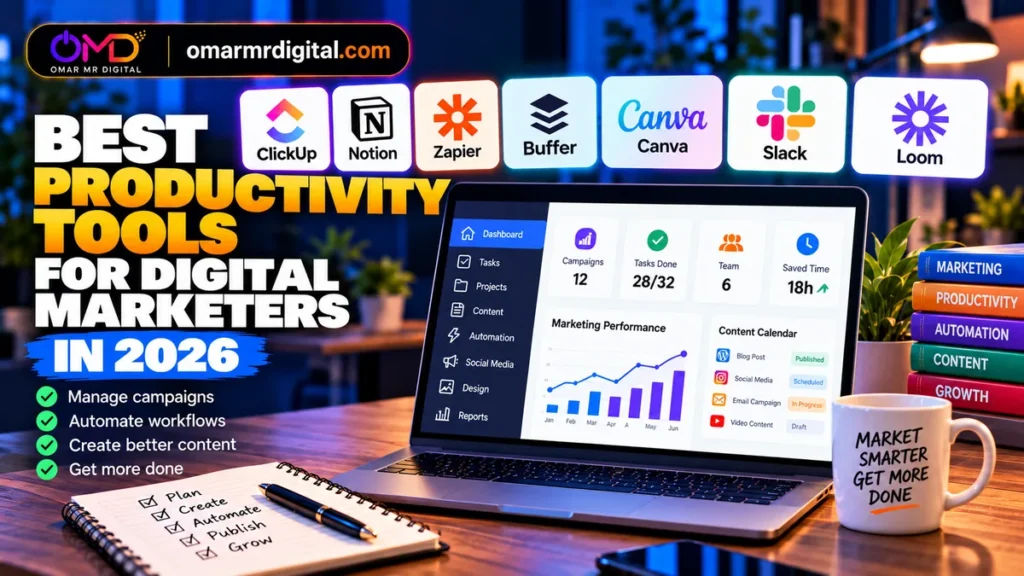
Best Productivity Tools for Digital Marketers in 2026
Digital marketers rarely need more software. They need fewer handoffs, clearer ownership and less repetitive work. The best productivity tools for digital marketers help campaigns move from idea to brief, production, approval, publishing, reporting and follow-up without creating another layer of administration.
This guide is based on documented features, product demonstrations, and verified sources. We did not run controlled productivity benchmarks, and no tool is presented as guaranteeing more leads, revenue or campaign performance.
Key Takeaways
- ClickUp is a strong all-in-one choice for campaign and project management when your team needs tasks, docs, time tracking and automations together.
- Notion works especially well for marketing knowledge bases, briefs, SOPs, editorial systems and flexible databases.
- Zapier is the specialist pick for eliminating repetitive work between marketing apps.
- Buffer is a focused productivity layer for social scheduling, approvals and multi-channel publishing.
- Canva reduces friction between marketing ideas and finished visual assets.
- Slack is useful for fast team and client communication, but important decisions should move into a durable project or documentation system.
- Loom can replace many status calls and long explanatory messages with asynchronous screen recordings.
Best Productivity Tools for Digital Marketers: Quick Comparison
| Tool | Best For | Current Starting Point | Key Trade-Off |
|---|---|---|---|
| ClickUp | Campaign/project management | Free; Unlimited $7/user/month yearly | Depth creates a learning/setup curve |
| Notion | Marketing docs, knowledge and planning | Free; Plus $10/seat/month | Can become messy without governance |
| Zapier | Workflow automation | Free; Professional from $19.99/month | Task usage needs cost monitoring |
| Buffer | Social publishing | Free; Essentials $5/channel/month yearly | Per-channel pricing scales with accounts |
| Canva | Creative production | Free; Pro $180/year for one person on current US page | Paid value depends on design volume |
| Slack | Team/client communication | Free; Pro $7.25/active user/month yearly | Chat can become another source of distraction |
| Loom | Async explanations and reviews | Free; Business $18/user/month | Less valuable if video communication is rare |
Prices were checked September 29, 2026. Figures are USD where shown. Taxes, currencies, promotions, workspace-specific packaging and billing terms can change.
How We Chose These Marketing Productivity Tools
We focused on tools that remove a recurring source of marketing friction rather than simply adding another AI feature. The main jobs are planning, documentation, automation, publishing, creative production and communication.
Value also depends on overlap. Paying for ClickUp, Notion and Trello at the same time may create more work if all three are being used as project trackers. Likewise, adding several communication apps can fragment decisions instead of speeding them up.
1. ClickUp — Best for Marketing Project Management
Best for: agencies, in-house teams and freelancers managing campaigns, deliverables, deadlines and approvals.
ClickUp combines task management with Docs, boards, calendar views, forms, goals, time tracking and integrations. For marketers, that means a campaign can have its brief, owner, due date, dependencies and status in the same workspace.
Pricing and Value
ClickUp currently offers Free Forever. Its established Unlimited plan is $7 per user per month billed yearly or $10 monthly, while Business is $12 yearly or $19 monthly per user.
ClickUp is also rolling out newer AI-inclusive plan packaging to some workspaces, so the upgrade options visible to a specific account may differ.
The Unlimited tier includes unlimited storage, integrations, Gantt charts, custom fields and native time tracking, making it a practical step up for a small marketing team.
Who Should Avoid It?
Teams wanting the simplest possible task board may find ClickUp’s flexibility excessive. Trello is a credible simpler alternative: its current Standard plan is $5/user/month billed annually, while Premium is $10/user/month annually.
- Tasks, docs and campaign tracking together
- Free plan
- Native time tracking on Unlimited
- Automation and integration options
- Setup can become complex
- Many features are unnecessary for small workflows
- Plan packaging is currently evolving
2. Notion — Best for Marketing Knowledge and Content Operations
Best for: marketers who need briefs, SOPs, research, editorial calendars, campaign databases and internal documentation in one flexible workspace.
Notion’s strength is that pages, databases, forms, calendars and project information can be structured around your team’s process rather than a fixed project-management model. A content team can connect a campaign brief to an editorial database, brand guidelines and reusable checklists.
Pricing and Value
Notion currently offers a free plan. Plus is $10 per seat per month on the current pricing page, while Business is $20 per seat per month.
Business includes broader Notion AI capabilities such as Notion Agent, AI Meeting Notes and connected-app search features. Free and Plus provide trial AI usage rather than the same included AI access as Business.
Who Should Avoid It?
If your main problem is strict project execution—resource allocation, advanced workload management or highly structured operational reporting—a dedicated project-management platform may be easier to govern.
- Flexible docs and databases
- Good for briefs and SOPs
- Free plan
- Business tier integrates AI into workspace context
- Requires deliberate structure
- Easy to create duplicate pages and databases
- Full AI value sits above the entry paid tier
3. Zapier — Best for Marketing Workflow Automation
Best for: marketers losing time copying leads, updating spreadsheets, sending notifications or moving data between SaaS tools.
Zapier connects applications through automated workflows and now combines Zaps with Forms, Tables, AI tooling, MCP and other automation components. A practical marketing workflow might capture a form submission, enrich or classify the lead, add it to another system and notify the responsible person.
Pricing and Value
The Free plan includes 100 tasks per month. Professional currently starts at $19.99 per month, while Team starts at $69/month. Paid pricing varies with the task allocation you select.
Zapier changed its AI task economics in 2026. Standard AI model steps currently use one task per run, Advanced models three, and Premium models five; tool calls can add usage. That makes workflow design—not just the headline subscription price—important when estimating cost.
Who Should Avoid It?
If a workflow runs only a few times per month and takes seconds manually, automation can be needless complexity. Automate repetitive, stable processes first.
- Broad automation platform
- Free entry point
- Multi-step workflows on Professional
- Forms and Tables included across plans
- Task costs grow with volume and complexity
- AI steps can consume multiple tasks
- Automations need monitoring when apps change
4. Buffer — Best for Streamlined Social Publishing
Best for: creators, small businesses and marketing teams that want to batch, schedule and coordinate social content.
Buffer’s current Free plan supports up to three channels with 10 scheduled posts per channel at a time. Its AI Assistant, idea management and basic publishing workflow are available even on Free.
Pricing and Value
Essentials costs $5 per channel per month when billed yearly and includes unlimited scheduled posts, advanced analytics and other publishing features.
Team is $10 per channel per month yearly and adds unlimited team members, access levels and approval workflows. Both paid plans currently have a 14-day free trial.
The per-channel model is easy to understand but should be modeled using your real account count. An agency managing many client profiles has different economics from a solo marketer with three channels.
Who Should Avoid It?
If you publish infrequently or manage three or fewer simple channels, Buffer Free—or native platform schedulers—may be enough.
- Focused publishing workflow
- Useful free plan
- AI Assistant included
- Team tier adds approvals
- Costs rise with channel count
- Not a full marketing project manager
- Advanced needs may require other analytics or listening tools
5. Canva — Best for Fast Marketing Creative Production
Best for: marketers producing social graphics, presentations, ads, blog visuals, simple video and branded assets without a dedicated designer for every task.
Canva combines templates, brand tools, a large media library and AI-assisted creative features in one visual workspace. Its value for marketers is speed: one campaign concept can be adapted into multiple formats without rebuilding every asset from scratch.
Pricing and Value
Canva Free remains available. The current US pricing page lists Canva Pro at $180 per year for one person and shows expanded AI tools and premium creative features.
Pricing, tax and plan presentation can vary by market, so GCC and other international readers should check their local checkout.
Who Should Avoid It?
A team with an established Adobe or specialist design workflow may not need Canva Pro for every seat. Also avoid treating templates as finished brand strategy: customize layouts, typography and imagery so campaigns remain distinctive.
- Free plan
- Fast multi-format creative production
- AI-assisted design features
- Useful for non-designers
- Paid value depends on creative volume
- Market pricing can vary
- Uncustomized templates can look generic
6. Slack — Best for Fast Marketing Team Communication
Best for: distributed teams and agencies that need searchable, channel-based communication with internal staff and external collaborators.
Slack is most productive when channels map cleanly to teams, clients or campaigns and notifications are controlled. Pro includes full message history, group calls and screen sharing, Slack Connect, no-code workflows and basic AI features such as channel summaries and huddle notes.
Pricing and Value
Slack Pro currently costs $7.25 per active user per month billed annually or $8.75 monthly.
Business+ is $15 annually or $18 monthly per active user and adds broader AI and administration capabilities.
Who Should Avoid It?
A solo marketer does not need Slack merely to feel organized. Even teams should avoid turning chat into the permanent home for briefs and decisions. Store durable campaign information in a project or knowledge system.
- Fast channel-based collaboration
- Searchable paid-plan history
- External collaboration through Slack Connect
- Basic AI features on Pro
- Can increase interruptions
- Per-user costs accumulate
- Not a replacement for structured project management
7. Loom — Best for Asynchronous Marketing Communication
Best for: agencies and remote teams explaining reports, reviewing creative, giving website feedback or recording short process walkthroughs.
Loom lets marketers record their screen, camera or both and share the result asynchronously. That is particularly useful when a five-minute walkthrough can replace a meeting or a long message that is difficult to interpret without visual context.
Pricing and Value
Loom Starter is free and currently allows up to 25 videos per person with five-minute screen recordings.
Business is $18 per user per month and removes those recording and video limits while adding higher-resolution recording and editing features.
Business + AI is $24 per user per month and adds Loom AI workflows, summaries, chapters, tasks and other AI-assisted capabilities. Loom currently offers a 14-day Business + AI trial.
Who Should Avoid It?
If most communication is simple and synchronous, Loom can become another content library to manage. Use it where visual explanation genuinely saves a call or reduces ambiguity.
- Useful free tier
- Excellent for visual explanations
- Supports async client and team communication
- AI plan can turn video into structured follow-up
- Free screen recordings are limited to five minutes
- Paid per-user costs add up
- Video is slower than text for very simple updates
How to Build a Lean Marketing Productivity Stack
The goal is not to subscribe to all seven products. A small team can usually cover most work with four layers:
- System of record: choose ClickUp or Notion as the primary place where campaign work and knowledge live.
- Automation: add Zapier only for repetitive cross-app processes that save meaningful time.
- Specialist production: use Buffer for social publishing and Canva for creative production when those are recurring channels.
- Communication: use Slack for rapid collaboration and Loom when an asynchronous visual explanation is better than another meeting.
Before buying another tool, ask which existing tool it replaces. If the answer is “none,” make sure the time saved is greater than the time required to configure, learn and maintain it.
Example Stack by Marketing Team
Solo digital marketer: Notion or ClickUp Free + Canva Free/Pro + Buffer Free/Essentials. Add Zapier when repetitive lead or publishing workflows emerge.
Small business marketing team: ClickUp Unlimited + Canva Pro + Buffer Essentials/Team. Add Slack if real-time collaboration is genuinely needed.
Content-led team: Notion for briefs and knowledge + ClickUp or a simpler task manager for execution + Canva for assets + Buffer for distribution.
Marketing agency: ClickUp for client delivery + Slack for communication + Loom for async reviews + Zapier for lead/client workflow automation + specialist publishing and design tools.
GCC team: verify local pricing, taxes, payment options, Arabic-language workflow quality and any organizational data-residency requirements before standardizing a stack.
Productivity Mistakes Digital Marketers Should Avoid
Tool duplication: do not maintain the same campaign status manually in three project systems.
Automating unstable processes: fix the workflow first; automating a broken process simply makes mistakes happen faster.
Too many notifications: default alerts can destroy the focus the productivity software was supposed to create.
No source of truth: choose where the approved brief, final creative and campaign status live.
Ignoring per-seat and usage economics: automation tasks, social channels and team seats can change the real cost dramatically.
Buying AI twice: many productivity suites now include AI. Check whether an existing subscription already handles the use case before adding another AI tool.
Final Recommendations by User Type
Best for campaign management: ClickUp.
Best for flexible marketing knowledge and planning: Notion.
Best for repetitive workflow automation: Zapier.
Best for social publishing productivity: Buffer.
Best for rapid creative production: Canva.
Best for team communication: Slack.
Best for async walkthroughs and feedback: Loom.
The most productive marketing stack is usually not the one with the most features. Choose one primary work system, then add specialist tools only where they remove a measurable bottleneck.
Frequently Asked Questions
What are the best productivity tools for digital marketers?
Useful options include ClickUp for project management, Notion for knowledge and planning, Zapier for automation, Buffer for social publishing, Canva for creative production, Slack for communication and Loom for asynchronous video.
What is the best free productivity tool for marketers?
It depends on the job. ClickUp, Notion, Buffer, Canva and Loom all offer free entry points. Start with the tool that addresses your largest recurring workflow problem rather than installing all of them.
Is ClickUp or Notion better for marketing?
ClickUp is generally more structured around task and project execution, while Notion is especially flexible for documents, databases, briefs and knowledge systems. Some teams use both, but smaller teams should first see whether one can cover enough of the workflow to avoid duplication.
Is Zapier worth paying for digital marketing?
It can be when stable workflows repeatedly move data between tools. Estimate monthly task usage and the labor saved before upgrading, especially because some AI and advanced actions consume multiple tasks.
What is the best tool for social media productivity?
Buffer is a focused option for planning, scheduling and publishing across social channels. Teams needing broader social listening, ad management or enterprise reporting should compare specialist alternatives as well.
Do marketers need Slack if they already use ClickUp?
Not necessarily. ClickUp can handle task-related discussion. Slack becomes more useful when the team needs high-volume real-time communication, external collaboration or a dedicated conversational workspace.
How many productivity tools should a small marketing team use?
There is no ideal number, but each tool should have a distinct job. A practical stack might use one project or knowledge system, one automation layer, one creative tool and one publishing or communication tool.
How should GCC marketers choose productivity software?
In addition to features, check regional pricing, VAT or tax treatment, supported payment methods, Arabic workflow quality, customer support hours and any company requirements around data storage or residency.