Updated: September 29, 2026
Best CRM Software for Small Businesses in 2026
The best CRM software for small businesses should make customer follow-up easier—not turn a five-person company into a software-administration department. The right choice depends on whether you mainly need a simple sales pipeline, an integrated marketing-and-service platform, affordable customization, or automation for a growing sales team.
This guide is based on documented features, product demonstrations, and verified sources. We did not run controlled usability, speed or sales-performance benchmarks, and we do not claim personal hands-on testing.
Quick Decision Summary
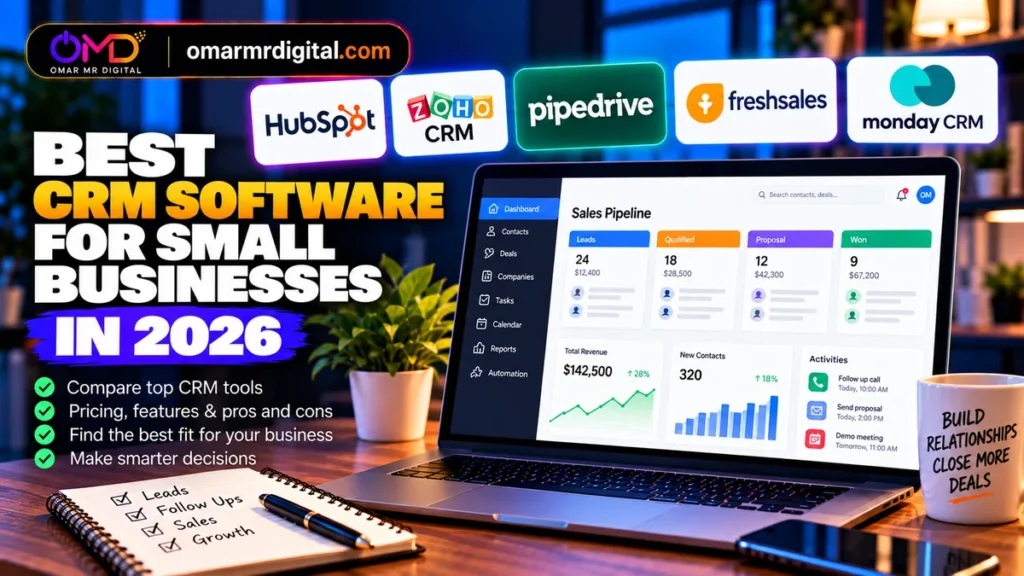
- HubSpot: best starting point when you want a capable free CRM with a path into marketing, sales and service tools.
- Zoho CRM: best value-oriented option for businesses that want deeper CRM customization and automation at relatively accessible per-user pricing.
- Pipedrive: best for sales teams that want a pipeline-first CRM with straightforward deal management.
- Freshsales: best low-cost paid option for small sales teams that want email, phone, chat and basic workflows together.
- monday CRM: best for teams that value visual customization and want sales workflows built around flexible boards, automations and AI features.
Best CRM Software for Small Businesses: Comparison
| CRM | Best For | Starting Point | Important Limitation |
|---|---|---|---|
| HubSpot | Free CRM + broader customer platform | Free for up to 2 users; paid Starter options vary by package/promotion | Advanced hubs can become substantially more expensive |
| Zoho CRM | Value, customization and automation | Free edition available; Standard $14/user/month on annual pricing calculator | More configuration than very simple CRMs |
| Pipedrive | Pipeline-focused sales teams | Lite $14/user/month billed annually | Some lead, project and marketing capabilities are plan-dependent or add-ons |
| Freshsales | Affordable multichannel sales CRM | Free up to 3 users; Growth $9/user/month billed annually | Advanced scoring, sequences and governance require higher tiers |
| monday CRM | Flexible visual workflows | Basic $12/seat/month billed annually | Paid plans start from 3 users; no permanent free CRM tier |
Pricing checked September 29, 2026. Prices shown are USD where applicable and can vary by country, tax, billing cycle, promotion, seat count and product configuration.
How We Chose These CRMs
Small businesses do not all need the same CRM. We prioritized five buying factors: how easily a small team can start, the quality of core contact and deal management, automation potential, integration with surrounding marketing or service workflows, and the cost of growing beyond the entry plan.
We also looked beyond headline pricing. A cheap CRM can become expensive if essential email sync, automation, reporting or lead-generation functions require upgrades or add-ons. Conversely, a larger platform can be poor value if your business only needs a pipeline and follow-up reminders.
1. HubSpot — Best Free Starting Point and Growth Platform
Best for: small businesses that want CRM, sales, marketing and customer-service tools to share one customer database.
HubSpot’s free CRM covers contact, company and deal management, pipeline organization, CRM imports and reporting. Its free CRM currently supports up to two users and 1,000 contacts, with no expiration date. That makes it practical for a founder or very small sales team moving away from spreadsheets.
The bigger reason to choose HubSpot is its ecosystem. Sales, marketing, service, content and data products can build on the same CRM. That can reduce integration work as a company grows.
Pricing and Value
HubSpot’s pricing is unusually important to verify at purchase because different product pages and bundles can show different promotional or package-specific entry prices. The current Customer Platform page shows Free at $0 for up to two users and a promotional Starter price beginning at $7 per seat per month with annual commitment for eligible new customers; HubSpot’s Smart CRM page separately lists CRM Starter from $15 per seat and Professional from $50 per seat.
Advanced Sales Hub pricing rises much faster: the current Sales Hub page lists Professional from $90 per seat per month on annual commitment and notes a required $1,500 Professional onboarding fee. This is why small businesses should map the features they will need in 12–24 months, not just compare the free plans today.
Who Should Avoid HubSpot?
Businesses that already know they need sophisticated paid sales automation across many users should calculate the future HubSpot configuration carefully. A simpler sales-focused CRM may be easier to budget.
- Useful free CRM for up to two users
- Sales, marketing and service can share one CRM
- No credit card required for free CRM
- Strong upgrade path
- Pricing becomes more complex across hubs and bundles
- Advanced tiers can be expensive for small teams
- Some AI usage is credit-based
2. Zoho CRM — Best Value for Customization
Best for: budget-conscious small businesses that want more structured sales processes, customization and automation without immediately moving to enterprise-level pricing.
Zoho CRM covers leads, contacts and deals across its editions. Zoho’s 2026 edition guide shows workflow automation even on Free with limited actions, while Standard adds cadences and Professional adds process-management capabilities such as Blueprint plus inventory and CPQ functions.
Pricing and Value
Zoho’s current US pricing calculator lists Standard at $14/user/month, Professional at $23, Enterprise at $40 and Ultimate at $52. Zoho also maintains a free CRM edition, making it possible to start small before paying for deeper automation.
Zoho becomes particularly interesting when a business already uses—or expects to use—other Zoho applications. Its own edition guidance notes that bundled products such as Zoho One or CRM Plus can be more cost-effective when several Zoho apps are required.
Who Should Avoid Zoho CRM?
A business that wants the most minimal pipeline interface may prefer Pipedrive. Zoho’s flexibility is useful, but it creates more decisions around modules, fields, automation and configuration.
- Competitive paid entry pricing
- Free edition
- Strong customization path
- Useful fit with wider Zoho ecosystem
- More setup choices than a simple pipeline CRM
- Important process features require higher tiers
- Bundle-versus-standalone pricing needs comparison
3. Pipedrive — Best for Pipeline-Focused Sales Teams
Best for: small sales teams that primarily need to manage leads, deals, activities and follow-ups through a clear pipeline.
Pipedrive’s current lineup is Lite, Growth, Premium and Ultimate. Lite includes lead, calendar and pipeline management, data import and integrations. Growth adds full email sync, tracking, automations, nurturing sequences, subscriptions and forecast reports, and meeting scheduling.
Pricing and Value
On annual billing, Lite is $14 per seat per month, Growth $39 and Premium $59. A 14-day free trial is currently available without a credit card.
The main cost consideration is what sits outside your plan. Pipedrive’s current documentation shows LeadBooster, Projects and Smart Docs as add-ons on Lite and Growth, while Premium and Ultimate include some of them. Campaigns and Web Visitors remain separate add-ons across the listed plans.
Who Should Avoid Pipedrive?
If your priority is running marketing, customer service and content from one broad platform, HubSpot may reduce the number of separate systems. Pipedrive is most attractive when the sales pipeline is the center of the buying decision.
- Clear pipeline-first design
- 14-day trial
- 500+ integrations advertised on Lite
- Growth adds email sync and automation
- No permanent free plan in the current lineup
- Useful capabilities can require add-ons
- Growth is a meaningful jump from Lite
4. Freshsales — Best Low-Cost Paid CRM for Small Sales Teams
Best for: startups and SMBs that want an affordable CRM with communication features built around sales activity.
Freshsales combines pipeline and contact management with chat, email and phone capabilities. The current Growth tier includes contact lifecycle stages, Kanban views, email templates, custom fields and basic workflows. Pro adds contact scoring, deal insights, custom sales activities, territory management and sales sequences.
Pricing and Value
Freshsales currently offers a Free plan for up to three users. Growth is $9/user/month billed annually, Pro is $39 and Enterprise is $59.
That makes Growth one of the lower-cost paid options in this comparison. However, teams that need advanced scoring, sequences or governance should compare Pro’s $39 price against Pipedrive Growth, Zoho Professional or Enterprise and the specific HubSpot package they would need.
Freshworks also lists optional add-ons, including Freddy AI Agent at $49 per 100 sessions on the current pricing page, so AI usage should be budgeted separately where relevant.
Who Should Avoid Freshsales?
Companies looking for the broadest marketing and content ecosystem may prefer HubSpot, while organizations deeply invested in Zoho apps may get better cross-suite value from Zoho CRM.
- Free for up to three users
- Growth starts at $9/user/month annually
- Email, phone and chat capabilities
- Basic workflows on Growth
- Advanced sales features require Pro
- AI agent is an additional usage cost
- Feature depth should be compared carefully by tier
5. monday CRM — Best for Flexible Visual Sales Workflows
Best for: teams that like monday.com’s visual board approach and want to customize sales workflows without building a traditional CRM from scratch.
monday CRM organizes leads, contacts and deals in customizable boards and adds CRM-specific communication, automation, reporting and AI capabilities as plans increase. Standard currently includes a centralized communications hub, mobile access and 250 custom automations per month. Pro expands automation capacity and adds mass email and sequences.
Pricing and Value
Current annual pricing starts at $12 per seat per month for Basic, $17 for Standard and $28 for Pro. monday CRM starts from three users, so a one-person business should compare the actual minimum bill rather than only the per-seat number.
There is no permanent free monday CRM edition for ordinary businesses; instead, monday offers a 14-day CRM trial without a credit card. The company’s separate work-management product does have a free tier, but that should not be confused with a free CRM subscription.
Who Should Avoid monday CRM?
Solo founders and two-person teams may dislike the three-seat minimum. Businesses wanting a conventional pipeline with less configuration may also find Pipedrive faster to understand.
- Highly visual and customizable
- Built-in automation options
- AI features included by plan
- Good fit for teams already familiar with monday
- Three-seat minimum
- No permanent free CRM plan
- Flexible setup can require more initial design
CRM Pricing: Look Beyond the Advertised Monthly Rate
For a small business, the real CRM bill usually comes from five variables: paid seats, marketing-contact or email allowances, automation limits, add-ons and onboarding or support requirements.
Before subscribing, model a realistic 12-month scenario. Include the number of people who actually need CRM access, expected contact growth, whether two-way email sync is required, the number of pipelines, reporting requirements and whether marketing or service functionality must live in the same platform.
Also distinguish promotional pricing from standard pricing. HubSpot currently advertises substantial Starter discounts for eligible new customers, for example, while its individual hubs and higher tiers have different pricing structures.
Which CRM Is Best for Your Type of Small Business?
Solo Founder or Two-Person Business
Start with HubSpot Free if you want a broad customer platform or evaluate Zoho’s free edition if customization and the wider Zoho ecosystem appeal to you. Avoid paying for unused seats.
Small B2B Sales Team
Pipedrive is especially easy to shortlist when pipeline execution is the main requirement. Compare Growth rather than only Lite if email sync and automation matter.
Budget-Conscious Startup
Freshsales Free or Growth and Zoho Standard deserve close attention. Compare the features you need after six months, not just today’s lowest subscription.
Marketing-Led Small Business
HubSpot has an advantage when the CRM needs to connect closely with marketing, content and customer service. Calculate the cost of the specific HubSpot hubs and contact volumes you will actually use.
Flexible Operations Team
monday CRM can make sense when sales data needs to connect with highly customized workflows and your team already prefers board-style work management.
GCC Small Business
Check final regional pricing, VAT treatment, supported payment methods, local calling and messaging requirements, Arabic-language workflow quality and organizational data-hosting requirements. For Saudi and UAE teams, also verify whether the integrations you rely on—such as WhatsApp, telephony, accounting and local lead sources—work in the exact configuration you intend to buy.
How to Choose a CRM Without Overbuying
- Map your sales process first. Write down the stages from new lead to won or lost customer before configuring software.
- Identify must-have communication channels. Decide whether email sync, phone, chat or WhatsApp is essential.
- Count real users. Per-seat pricing can change the ranking quickly.
- Test one complete workflow. During a trial, import sample contacts, create a deal, schedule a follow-up, send or log communication and produce a basic report.
- Model the next tier. Check what happens when you need automation, scoring, forecasting, multiple teams or advanced reporting.
- Check export and integration options. Your CRM should not become a data silo.
Alternatives Worth Considering
Brevo: worth considering when email marketing and sales CRM need to sit close together. Brevo currently lets users build a custom sales pipeline on its free plan and includes sales automation, meetings, shared inbox and communication features.
Salesforce: relevant for businesses expecting complex enterprise CRM requirements, but many small teams will find the products in our main comparison easier to budget and deploy.
Close: worth evaluating for sales teams that prioritize calling, email and outbound workflows.
Insightly: another option for businesses wanting CRM plus project-oriented workflows.
Final Recommendations
Choose HubSpot if you want to start free and see CRM becoming the foundation for marketing, sales and customer service.
Choose Zoho CRM if price-to-customization depth is a priority and you are comfortable configuring the system.
Choose Pipedrive if your sales pipeline is the center of your workflow and you want a CRM built around moving deals forward.
Choose Freshsales if a low-cost entry plan with sales communication features matches your small team’s needs.
Choose monday CRM if visual flexibility and customizable workflows matter more than having the most traditional CRM interface.
The best CRM is the one your team will consistently update. Before paying annually, use the free plan or trial to reproduce your real sales process and confirm that the next paid tier remains affordable as the business grows.
Frequently Asked Questions
What is the best CRM software for small businesses?
There is no single best option for every small business. HubSpot is compelling for free CRM and platform breadth, Zoho CRM for value and customization, Pipedrive for pipeline-focused sales, Freshsales for affordable multichannel sales features, and monday CRM for flexible visual workflows.
What is the best free CRM for a small business?
HubSpot currently offers a free CRM for up to two users and 1,000 contacts, while Freshsales has a free plan for up to three users. Zoho CRM also maintains a free edition. Compare feature limits, not just the $0 price.
Is HubSpot CRM really free?
Yes. HubSpot’s current free CRM has no expiration date and requires no credit card. The free tier is limited compared with paid products, and HubSpot’s broader paid sales, marketing and service capabilities can cost significantly more.
Is Zoho CRM good for small businesses?
It can be, particularly for businesses that want affordable paid tiers and substantial customization. Standard currently starts at $14/user/month on Zoho’s US annual-pricing calculator.
Is Pipedrive good for a small sales team?
Pipedrive is designed strongly around pipelines, activities and deals. Lite starts at $14/user/month billed annually, while Growth adds email sync and automation. Check add-on requirements before deciding.
How much should a small business spend on CRM?
Start with the workflow, not a target budget. A two-person company may work well on a free CRM, while a sales team needing automation, email sync and advanced reporting can reasonably require paid per-seat plans. Calculate the full annual cost at your expected seat count.
Should I choose a CRM with AI features?
AI can help with tasks such as summaries, data enrichment, reporting or follow-up, but it should not be the primary reason to choose a CRM. First verify data quality, pipeline usability, integrations and pricing. Then compare AI allowances and any credit-based costs.
Can I connect a CRM to WordPress?
Many CRMs can connect to WordPress through official plugins, forms, APIs or automation platforms. Verify the exact integration you need—especially form mapping, consent fields, ecommerce data and two-way synchronization—before committing.