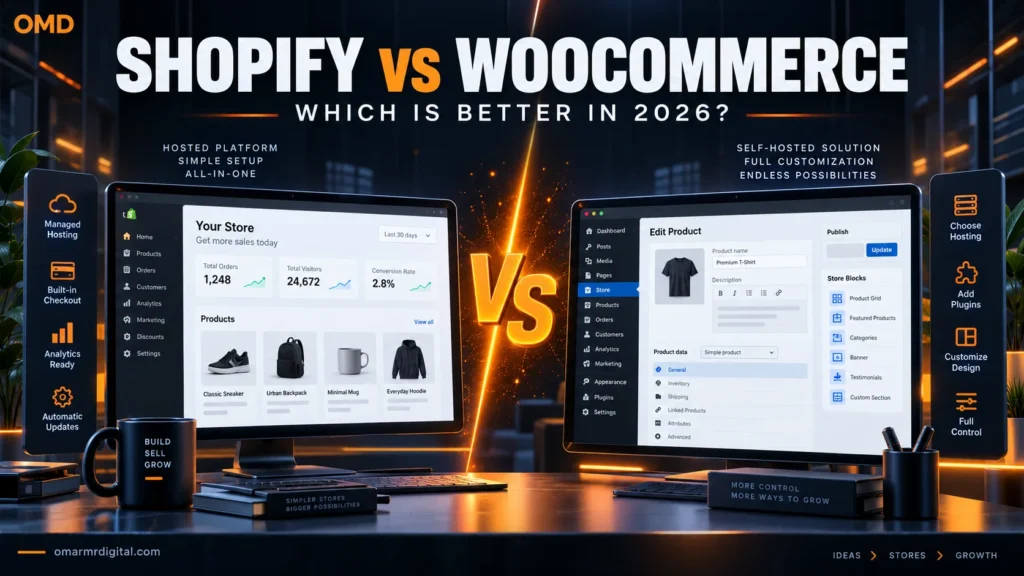
Shopify and WooCommerce can both support a serious online store, but they give the business owner different responsibilities.
Shopify is a hosted commerce platform. It combines store software, hosting, infrastructure, security responsibilities, updates, and a managed checkout within a subscription.
WooCommerce is an open-source ecommerce platform for WordPress. Its core plugin is free, but the merchant chooses and manages hosting, themes, extensions, payments, backups, security, and technical maintenance.
This Shopify vs WooCommerce comparison evaluates pricing, ease of use, payments, customization, ownership, SEO, performance, international selling, and long-term value. Our assessment is based on documented features, product demonstrations, and verified sources—not invented benchmarks or unperformed hands-on testing.
Choose Shopify when you want the fastest, most predictable route to operating an online store and prefer the platform provider to manage hosting, updates, checkout infrastructure, and core commerce operations.
Choose WooCommerce when ownership, WordPress integration, customization, payment flexibility, data control, and the ability to choose your hosting stack matter more than simplicity.
Best for most ecommerce beginners: Shopify.
Best for established WordPress users and customization-heavy stores: WooCommerce.
- Shopify wins: Setup speed, managed infrastructure, predictable maintenance, multichannel selling, and operational simplicity.
- WooCommerce wins: Ownership, customization, hosting choice, payment flexibility, and WordPress content integration.
- Shopify pricing: Current annual-billing reference prices are $29, $79, and $299 per month for Basic, Grow, and Advanced.
- WooCommerce pricing: The core plugin is free, but hosting, development, premium extensions, security, and maintenance are not.
- Transaction fees: Shopify can charge additional third-party-provider fees when Shopify Payments is not used.
- Payment availability: Shopify Payments and WooPayments availability depends on the merchant’s country.
- Refunds: Shopify generally does not refund subscription-plan charges. Most WooCommerce.com Marketplace purchases have a 30-day refund policy.
- GCC merchants: Verify local gateways, SAR/AED settlement, VAT, mada, Apple Pay, Tabby, Tamara, shipping, and Arabic support before choosing.
Shopify vs WooCommerce: Quick comparison
| Area | Shopify | WooCommerce |
|---|---|---|
| Platform type | Hosted subscription commerce platform | Open-source ecommerce plugin for WordPress |
| Starting software cost | Basic starts at $29/month with annual billing | Core plugin is free |
| Hosting | Included | Purchased and managed separately |
| Technical maintenance | Core platform managed by Shopify | Merchant manages WordPress, hosting, plugins, and updates |
| Customization | Strong within Shopify’s platform and theme architecture | Extensive access to WordPress, code, hosting, data, and plugins |
| Payments | Shopify Payments or supported third-party gateways | Large choice of compatible gateways and plugins |
| Extra platform transaction fee | May apply when using third-party payment providers | WooCommerce core does not impose a platform revenue share |
| SEO and publishing | Solid built-in ecommerce and content tools | Deep WordPress content and SEO flexibility |
| Ownership and control | Operates within Shopify’s hosted platform | Greater control over hosting, code, and database |
| Best for | Merchants prioritizing speed and simplicity | WordPress users prioritizing control and customization |
What is Shopify?
Shopify is a managed commerce platform that combines storefront creation, hosting, product management, checkout, orders, payments, analytics, discounts, shipping tools, and multichannel selling.
The merchant does not need to source separate web hosting or manually update the core commerce platform.
Shopify’s main appeal is operational focus: the store owner can spend more time managing products, customers, fulfillment, and marketing instead of maintaining WordPress infrastructure.
The tradeoff is that the store remains inside Shopify’s platform, pricing structure, checkout rules, app ecosystem, and technical boundaries.
What is WooCommerce?
WooCommerce is an open-source ecommerce platform built for WordPress. Its free core plugin adds products, carts, checkout, orders, coupons, shipping settings, taxes, customer accounts, and ecommerce administration to a WordPress website.
The merchant chooses:
- Web host and server resources
- WordPress and WooCommerce theme
- Payment gateways
- Shipping integrations
- Security and backup tools
- SEO and marketing plugins
- Premium WooCommerce extensions
- Developer or maintenance support
This flexibility can create a highly customized store. It can also create more technical responsibility and cost uncertainty.
Which is easier to use?
Shopify setup
Shopify provides a guided path through creating the store, adding products, choosing a theme, configuring payments, setting shipping rules, and connecting a domain.
Hosting, SSL, core updates, and checkout infrastructure are included. This removes several decisions that can delay a first-time WooCommerce project.
Shopify is therefore the easier option for most ecommerce beginners.
WooCommerce setup
WooCommerce requires a WordPress installation and suitable hosting before the store can be configured.
The merchant must then manage the theme, plugins, backups, security, performance, updates, and compatibility between components.
Managed WooCommerce hosting can reduce this burden, but responsibility remains more distributed than with Shopify.
Shopify vs WooCommerce pricing
A fair cost comparison must include more than the base subscription or plugin price.
Shopify pricing
Shopify’s current US annual-billing reference prices are:
| Plan | Annual-billing price | Positioning | Staff access |
|---|---|---|---|
| Basic | $29/month | Solo entrepreneurs and smaller stores | No additional standard staff accounts |
| Grow | $79/month | Small teams and growing stores | Up to five staff accounts |
| Advanced | $299/month | Higher-volume and international operations | Up to 15 staff accounts |
| Shopify Plus | From $2,300/month on a three-year term or $2,500/month on a one-year term | Complex enterprise commerce | Enterprise access model |
Shopify was offering a three-day free trial followed by $1 per month for three months at the time of research. This is promotional and may change by date or region.
Additional Shopify costs
- Domain registration and renewal
- Premium themes
- Paid apps
- Email or marketing services beyond included allowances
- Payment-processing fees
- Third-party transaction fees where applicable
- Shopify Tax fees after relevant thresholds
- POS hardware or additional retail services
- Development and customization
WooCommerce pricing
WooCommerce core is free, but operating the store is not.
WooCommerce’s official pricing guidance currently estimates:
- Hosting: Approximately $25–$350 per month for most stores, depending on traffic and performance requirements
- Extensions: Often $29–$299 per year for each paid extension
A WooCommerce store may also require:
- Domain registration
- Premium theme or builder
- Security and backup services
- Performance optimization
- Email-delivery service
- Premium payment or shipping integrations
- Subscriptions, bookings, memberships, or product add-ons
- Developer and maintenance support
Which is cheaper?
WooCommerce can be cheaper for a technically capable merchant using modest hosting and mostly free extensions.
It can also become more expensive than Shopify when the store requires premium hosting, numerous extensions, custom development, emergency support, and ongoing maintenance.
Shopify provides more predictable platform costs, although recurring apps and transaction fees can increase the total.
Payments and transaction fees
Shopify Payments
Shopify Payments provides integrated payment processing in supported countries. Current US online card rates begin around:
- Basic: 2.9% + 30¢
- Grow: 2.7% + 30¢
- Advanced: Lower rates than the entry plans, subject to the current pricing page
Rates vary by country, card type, transaction type, and plan.
Third-party Shopify payment providers
When Shopify Payments is unavailable or the merchant chooses another provider, Shopify may charge an additional third-party transaction fee on top of the provider’s processing fee.
Shopify’s 2026 payment guidance listed reference third-party transaction rates of approximately:
- Basic: 2%
- Grow: 1%
- Advanced: 0.6%
- Plus: Lower negotiated or published platform rate, depending on arrangement
Verify the rate for the merchant’s country and plan before committing.
WooCommerce payments
WooCommerce allows merchants to choose from compatible gateways and extensions. WooCommerce core does not charge a platform revenue share merely because an external payment gateway is used.
The gateway still charges its own processing fees, and an integration plugin may have a purchase or subscription cost.
WooPayments availability and features vary by country. The UAE is currently represented in official WooPayments pricing and payout documentation, while Saudi merchants should verify current eligibility and compatible local gateway plugins.
Design and customization
Shopify design
Shopify offers free and paid themes designed around ecommerce requirements. Its theme editor enables merchants to arrange sections and adjust supported design settings.
Developers can customize themes using Shopify’s platform tools and Liquid templating language.
Most businesses can create a professional store without building from scratch, but deep checkout and platform-level customization depends on plan and Shopify’s supported architecture.
WooCommerce design
WooCommerce can use compatible WordPress themes, the Block Editor, WooCommerce blocks, page builders, custom themes, and custom code.
This provides greater design freedom, but combining an unsuitable theme, several builders, and overlapping add-ons can create performance and maintenance problems.
Ownership, control, and portability
Shopify
Merchants own their business data and content subject to Shopify’s terms, but the store operates inside Shopify’s hosted platform.
Products, customers, and orders can be exported, but themes, apps, checkout behavior, and platform-specific functionality do not transfer directly to another ecommerce system.
WooCommerce
A self-hosted WooCommerce merchant has greater access to the WordPress files, database, server environment, code, and hosting configuration.
The store can move to another compatible host, although a complex migration still requires planning and testing.
Greater ownership does not eliminate dependence. Premium extensions, proprietary builders, external services, and developers can create their own forms of lock-in.
Performance, security, and maintenance
Shopify
Shopify manages the core hosting platform, security infrastructure, updates, and checkout environment.
Store performance can still be affected by large images, heavy themes, excessive scripts, and poorly chosen apps.
WooCommerce
WooCommerce performance depends heavily on hosting resources, caching, database condition, theme quality, plugin selection, image delivery, and developer decisions.
The merchant is also responsible for maintaining WordPress, WooCommerce, plugins, themes, backups, security controls, and compatibility.
Managed WooCommerce hosting can help, but the store still requires a clear update and recovery process.
SEO, blogging, and content marketing
Shopify SEO
Shopify provides the technical essentials required for many ecommerce SEO projects, including editable titles and descriptions, sitemaps, canonical handling, redirects, mobile-friendly themes, structured commerce pages, and blogging.
Its URL and platform architecture are more standardized than WordPress.
WooCommerce SEO
WooCommerce benefits from WordPress’s publishing system and broad SEO plugin ecosystem.
It provides more control over content types, editorial structures, schema tools, internal-linking systems, technical settings, and content-led commerce strategies.
The extra flexibility can be valuable, but it also creates more opportunities for conflicting plugins, indexing mistakes, duplicate pages, and performance issues.
International selling and GCC considerations
Both platforms can support international commerce, but payment, currency, tax, shipping, and localization capabilities depend on the merchant’s country and configuration.
Shopify for international commerce
Shopify provides Markets, local-currency and domain tools, international pricing features, and connections to multiple sales channels.
Some functions require Shopify Payments or a particular plan. Shopify Payments is available only to businesses based in supported countries.
WooCommerce for international commerce
WooCommerce can support multilingual stores, multiple currencies, regional gateways, flexible shipping rules, and customized tax logic through plugins and development.
This is powerful but requires careful integration and compatibility testing.
Saudi Arabia and GCC checklist
- Can the business legally activate the preferred gateway?
- Does it settle in SAR, AED, or the required bank-account currency?
- Are mada, Apple Pay, Tabby, Tamara, and local cards supported?
- Does Shopify impose an extra third-party transaction fee?
- Does the WooCommerce gateway plugin receive regular updates?
- Can the store produce VAT-compliant invoices?
- Does the theme support Arabic and right-to-left layouts?
- Can shipping connect with local and international carriers?
- Are customer data, privacy, and ecommerce policies compliant?
Do not choose the platform before confirming the gateway. Payment availability can change the economics of the entire store.
Which platform scales better?
Shopify scalability
Shopify can scale without the merchant managing server architecture. Higher plans provide lower payment rates, additional staff access, stronger reporting, and more international capabilities.
Shopify Plus is designed for larger and more complex organizations.
WooCommerce scalability
WooCommerce can also support large stores, but scaling requires appropriate hosting, database optimization, caching, search architecture, deployment processes, monitoring, and technical expertise.
The advantage is infrastructure choice. The disadvantage is responsibility for designing and maintaining that infrastructure.
Shopify scales operational simplicity. WooCommerce scales customization and infrastructure control.
Shopify and WooCommerce pros and cons
- Fast store setup
- Hosting and SSL included
- Managed core platform
- Integrated checkout
- Multichannel commerce
- App and theme ecosystem
- Built-in analytics and AI tools
- Clear upgrade path
- Recurring subscription
- Paid apps can increase cost
- Third-party transaction fees may apply
- Less infrastructure control
- Platform-specific migration work
- Free open-source core
- Hosting and gateway choice
- Extensive customization
- Deep WordPress integration
- Broad plugin ecosystem
- No core platform revenue share
- Strong content and SEO flexibility
- Greater database and code access
- Hosting and maintenance responsibility
- Less predictable total cost
- Plugin conflicts are possible
- Security requires active management
- Technical support is distributed
Which platform should you choose?
First-time ecommerce entrepreneur
Choose Shopify. Its guided setup and managed infrastructure reduce the technical work required to launch.
Existing WordPress business
Choose WooCommerce when the current website, content, SEO, and technical team already operate effectively on WordPress.
Content-led affiliate or publishing brand
Choose WooCommerce when editorial content is central and commerce is being added to a mature WordPress strategy.
Small product brand
Choose Shopify when the priority is launching products, managing inventory, and selling across several channels.
Highly customized store
Choose WooCommerce when the project requires custom workflows, data structures, gateway logic, or infrastructure control.
Retail and online operation
Consider Shopify when Shopify POS and the wider sales-channel ecosystem fit the business. Compare country availability and retail requirements first.
Saudi or GCC merchant
Choose only after gateway verification. WooCommerce may provide broader local-gateway flexibility, while Shopify may provide easier operations. Calculate any additional Shopify transaction fees before deciding.
Enterprise business
Compare Shopify Plus with a professionally architected WooCommerce environment. The correct choice depends on internal technical resources, customization, integrations, governance, and total operating cost.
Shopify and WooCommerce alternatives
| Alternative | Consider it when | Main tradeoff |
|---|---|---|
| BigCommerce | You want hosted commerce with strong built-in capabilities | Different theme, app, and pricing ecosystem |
| Wix Ecommerce | You want a simple business website and smaller online store | Less suitable for some complex commerce requirements |
| Squarespace Commerce | Visual presentation and straightforward selling matter most | Less extensible than WooCommerce |
| Adobe Commerce | You need complex enterprise commerce and have specialist resources | High implementation and maintenance requirements |
| Ecwid | You want to add commerce to an existing website | Different customization and scaling model |
| SureCart | You want a WordPress-based commerce alternative with a different architecture | Smaller ecosystem and shorter platform history |
Final verdict: Shopify vs WooCommerce
Shopify is better for merchants who want to run a store rather than manage an ecommerce technology stack. It offers a faster launch, managed infrastructure, integrated operations, and a more predictable core platform.
WooCommerce is better for businesses that want greater ownership and customization. It provides extensive control over hosting, code, data, content, payments, and integrations, but the merchant must manage the resulting complexity.
Shopify is not automatically more expensive, and WooCommerce is not automatically free. The more accurate comparison is predictable subscription cost versus customizable ownership with variable technical cost.
For GCC merchants, payment-gateway support should be investigated before themes, templates, or apps. The preferred local gateway—and any additional Shopify transaction fee—may determine which platform offers better value.
Frequently asked questions
Is Shopify better than WooCommerce?
Shopify is better for merchants who prioritize ease of use, managed hosting, predictable maintenance, and fast setup. WooCommerce is better for WordPress integration, ownership, customization, and payment flexibility.
Is WooCommerce really free?
The WooCommerce core plugin is free and open source. Running a production store still requires hosting, a domain, payment processing, maintenance, and potentially paid themes, extensions, security, backups, or development.
How much does Shopify cost?
Current US annual-billing prices start at $29 per month for Basic, $79 for Grow, and $299 for Advanced. Apps, themes, domains, payment processing, taxes, POS services, and third-party transaction fees can add to the total.
Does WooCommerce charge transaction fees?
WooCommerce core does not charge a platform fee or revenue share merely for using a payment provider. The selected gateway still charges its processing fees, and its integration plugin may have a separate cost.
Which is better for SEO?
Shopify includes the SEO fundamentals most stores need. WooCommerce provides deeper WordPress content and technical flexibility but requires more careful configuration and maintenance.
Can I migrate from WooCommerce to Shopify?
Yes. Products, customers, orders, and other data can be transferred using migration tools or professional services. Themes, custom code, plugins, and some historical data may require manual rebuilding or mapping.
Can I migrate from Shopify to WooCommerce?
Yes. Core commerce data can be exported or migrated, but Shopify-specific themes, apps, checkout customizations, and workflows will not transfer directly.
Which is better for Saudi Arabia and the GCC?
The answer depends heavily on local payment gateways, settlement currencies, VAT, Arabic support, shipping integrations, and transaction fees. WooCommerce may offer more gateway flexibility, while Shopify usually provides simpler store operations.
Useful links
Editor Notes
- Fact checked: September 22, 2026
- Review basis: Documented features, official product demonstrations, pricing pages, help documentation, and verified sources. No unperformed speed tests or personal-use claims are included.
- Affiliate placeholders: Replace both instances of
[AFFILIATE LINK — SHOPIFY]only after an approved tracking URL is available. - Affiliate attributes: Retain
rel="nofollow sponsored noopener". - Shopify re-check: Confirm live plan prices, trial promotion, card rates, staff accounts, third-party transaction fees, Shopify Tax, Markets, POS, and Plus terms.
- WooCommerce re-check: Confirm hosting estimates, extension prices, WooPayments countries, gateway support, and Marketplace refund eligibility.
- GCC re-check: Verify Shopify Payments, WooPayments, mada, Apple Pay, Tabby, Tamara, SAR/AED settlement, VAT, and local-gateway plugin support.
- Visual route: Use an original OMD comparison graphic, authorized original screenshots where permitted, or official affiliate creative supplied under a valid license.
- Trademark review: Do not alter Shopify or WooCommerce logos or imply endorsement.
- Internal links: Confirm all proposed OmarMrDigital URLs before publishing.
Last reviewed: September 22, 2026. Prices, promotions, payment availability, transaction fees, tax services, and extension costs can change.